At Zingo!🍃, we remain committed to providing you with a secure, intuitive and privacy-focused experience. In this new version 2.0.0, we've incorporated features that give you more control over your funds, improve the organization of your addresses, and strengthen the protection of your information. Here's what's new:
🔄 Non-linear synchronization.
Say goodbye to unnecessary waiting! With the new Pepper Sync 2.0 synchronization algorithm, you can now spend your funds even before the synchronization is complete. This enhancement prioritizes the essentials and shows you a visual map of the process in the Sync Report.
Benefits:
Saves time: no need to wait to use your wallet.
Transparency: View progress with clarity.
Control: make decisions without depending on the synchronization status.
🧅 Checking your balance with Tor
You can now check your balance and its conversion to local currency through the Tor network, which means that your connection is encrypted and anonymized. No one will know where you are accessing from or what you are viewing.
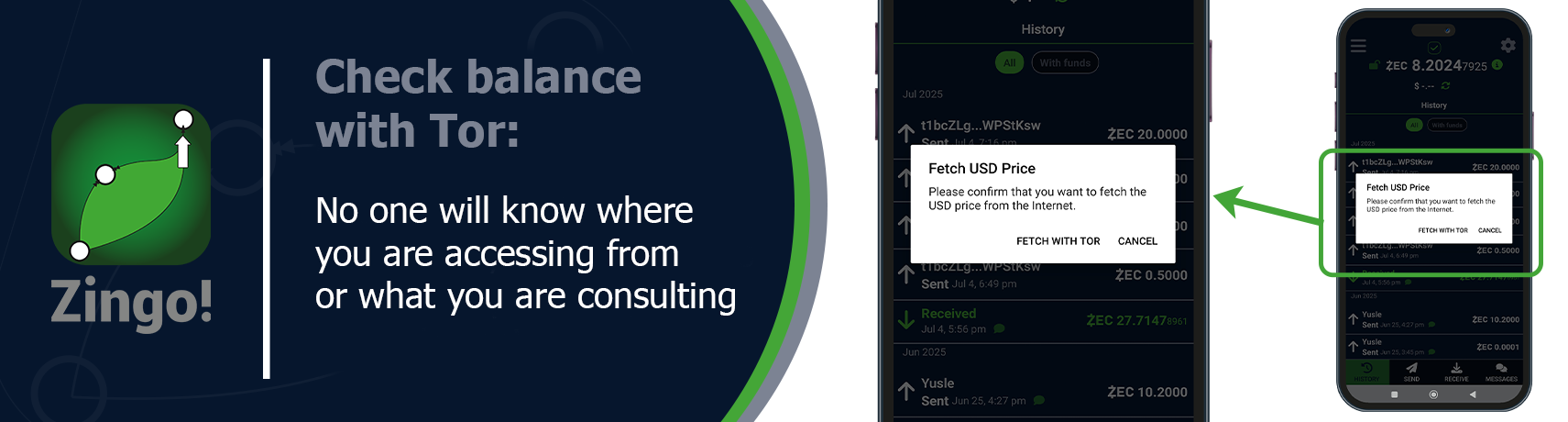
⚙️ Activate this option from the Settings menu, in the Currency section and select US Dollars with Tor.
🧩 Diversified Addresses
Organize, label and verify You can now generate new diversified addresses according to the type of shielded receiver: Orchard or Sapling. These addresses can be labeled and are automatically added to your Address Book for easy management.
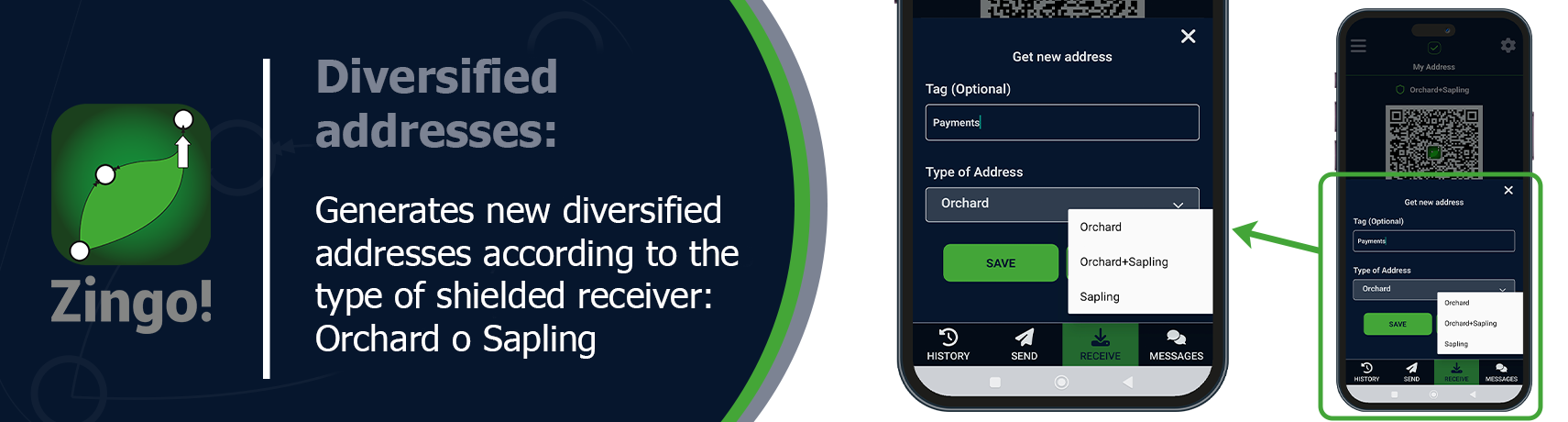
In addition, we added a new address verification feature: a tool that allows you to confirm whether an address really belongs to you before you use it. This is especially useful if you are copying addresses from other sources or if you manage multiple accounts.
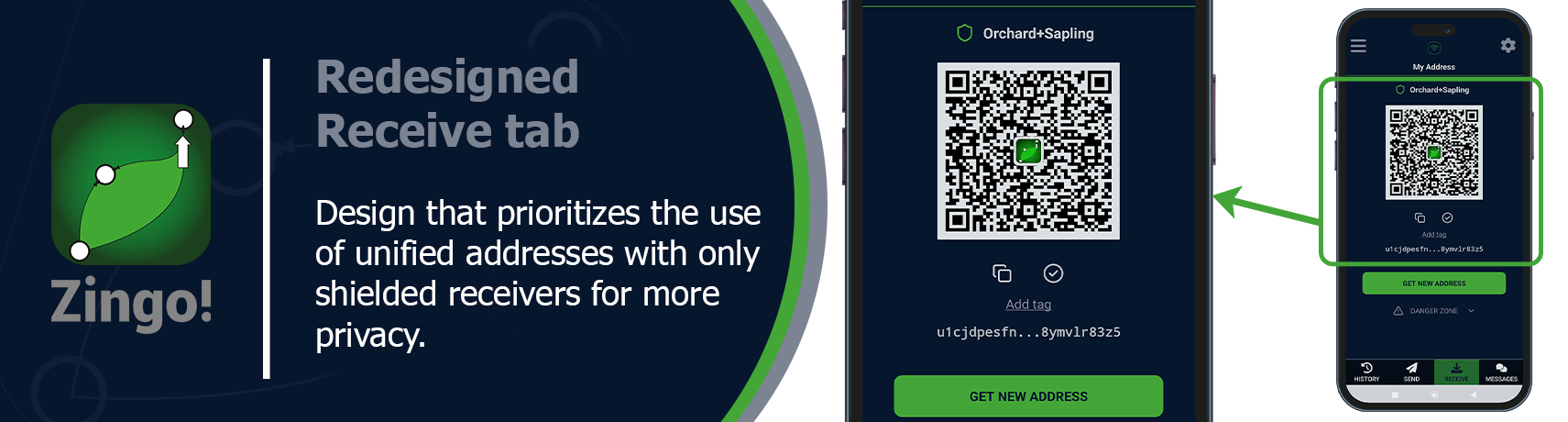
🤓 Unified addresses now only include shielded receivers (Orchard and Sapling), enforcing privacy by default. Want to better understand how they work and how to get the most out of them? 👉 Read our article on Shielded Addresses.
🛡️ Redesigned receive tab
Priority to shielded addresses The Receive tab now highlights shielded addresses, which protect your financial information. Transparent addresses are still available, but are clearly marked as danger zone so you can make informed decisions.
✅ Minimal confirmations
Starting with this release, transactions require at least three confirmations to be considered valid. This reinforces the integrity of your transactions and reduces the risk of errors or double-spending attacks.
🌍 Language support
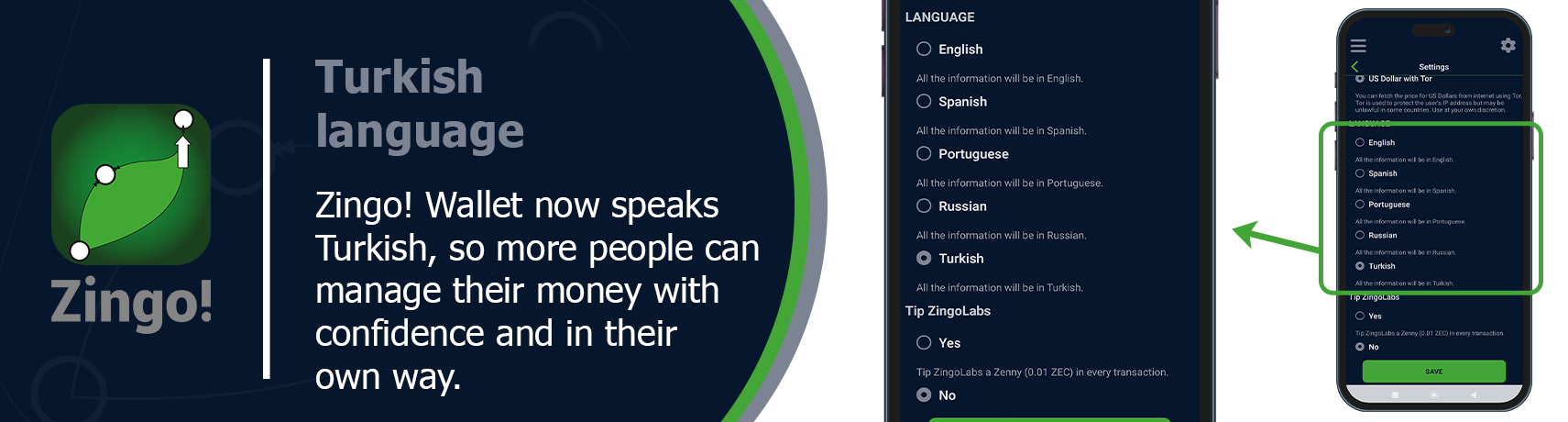
We continue to grow and add voices. With the addition of Turkish language, more people can use Zingo! Wallet in their native language, managing their funds with greater convenience and confidence.
To change the language:
Open the Settings menu.
Go to the Language section.
Select the language you prefer
💡 Users can contribute translations and suggestions to improve the wallet experience for everyone on Crowdin.
🛠 General improvements.
We have made adjustments that give you more control and stability in using the wallet:
Delete and Forward: You can now easily copy important information from the details of a transaction, delete it or forward it. You decide how to manage them.
Bug fixes and minor improvements: We optimized performance and fixed issues to give you a smoother and more reliable experience.
This version of Zingo!🍃Wallet is not just a technical improvement: it's a statement of principle. We want you to be in control, to understand what you're doing, and to do it with confidence. Because in the world of privacy, every detail counts.
Install Zingo!🍃
🤖Google Play | 🍏App Store | 💻Zingo-PC | ✅GitHub

