The latest version v1.11.1 of Zingo!🍃 comes with a number of improvements designed to make your experience much smoother and more intuitive. This update is aimed at those looking to optimize their transactions and settings.
Here are the new features that will transform the way you interact with your digital wallet:
Optimized Navigation ️
Now, getting around the app is much easier. We've revamped the way you can go back, making navigation more natural.
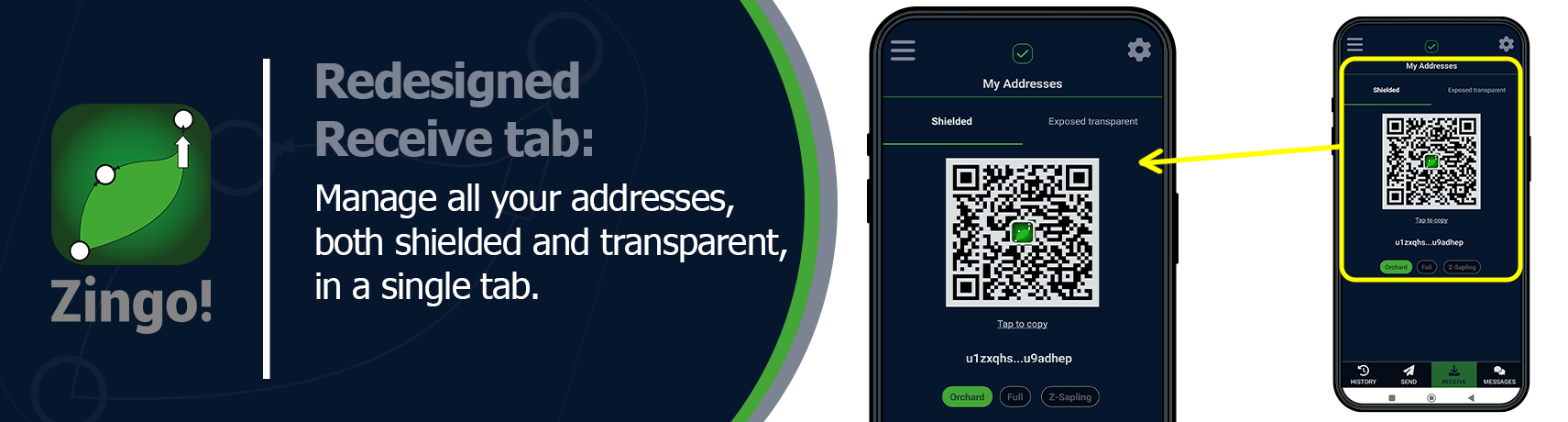
Redesigned Receive tab 📥
The Receive tab has been redesigned to make managing your different types of addresses a breeze. All your shielded addresses are together in one tab, just tap the corresponding button to switch between them. And if you need to use a transparent address (T-address), that has its own tab too!
More Space for your Messages ✉️
The unified reply-to address is now Orchard only. What does this mean for you? that you will have more space to write your memos.
💡Don't know what memos are or want to learn more about them? Discover our article on Encrypted Memos and transform your approach.
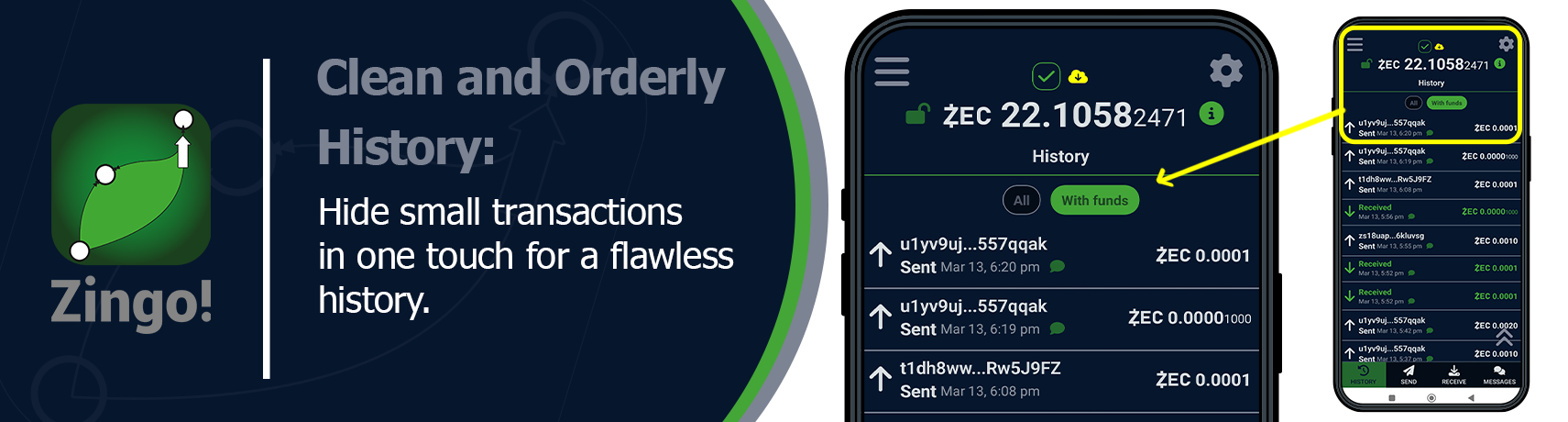
Clean and Orderly History📄
Ever wanted those very small transactions to disappear from your history? Now you can do it! Simply tap the filters in the History section and choose to hide those small amounts.
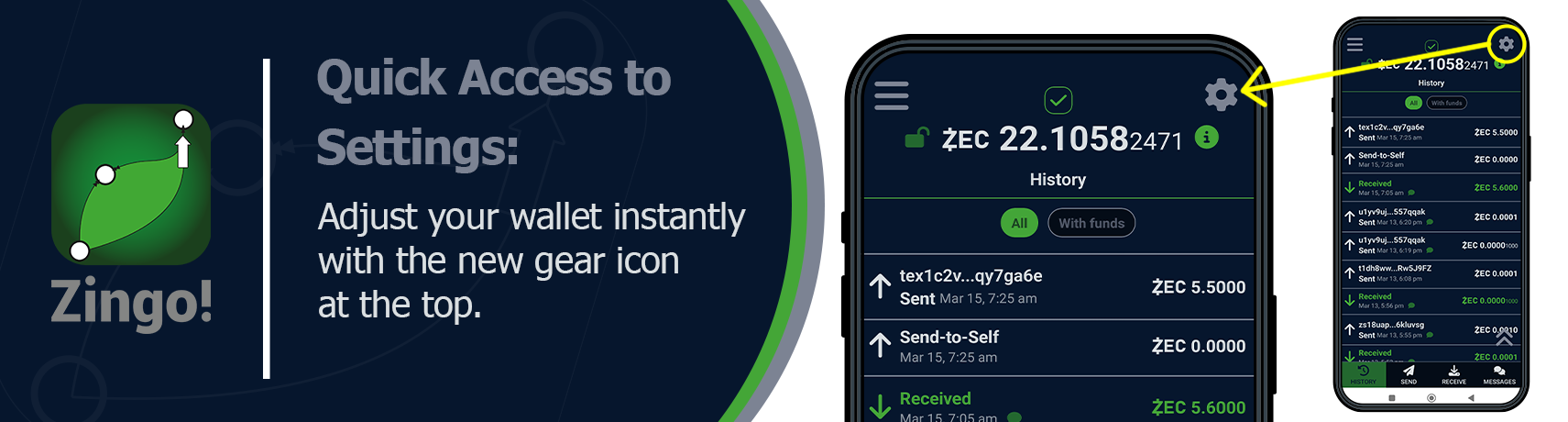
Quick Access to Settings ⚙️
We've added a new gear icon right at the top of your wallet. With a simple tap, you'll directly access the Zingo!🍃 settings and you'll be able to adjust the app to your preferences quickly and easily.
Improved Synchronization Statuses ✅
You will be able to see the synchronization status of your data much more clearly. A new indicator at the top of your wallet will show you in real time how the process is going. You will always know that your information is up to date!
Each of these improvements is designed to make your Zingo!🍃 experience more intuitive and tailored to your needs.
🚀Zingo! Release Announcements! ¡Read Here!
Install Zingo!🍃
🤖Google Play | 🍏App Store | 💻Zingo-PC | ✅GitHub

