In this guide, you will learn how to perform transactions using NEAR Intents and Zingo!🍃Wallet. You will be able to exchange Zcash (ZEC) for NEAR and vice versa, always maintaining the privacy of your transactions and without the need for identity (KYC) verifications.
This process will allow you to take advantage of the benefits of both platforms in a secure and efficient way.
Step 1️⃣: Access NEAR Intents and Connect Your Wallet
To begin, visit the official website of NEAR Intents. On the homepage, select the option to connect your wallet, including NEAR Wallet, WalletConnect, Solana Wallet, Coinbase Wallet and Brave Wallet. Choose the wallet of your choice and follow the instructions to authorize the connection.
Step 2️⃣: Initiate ZEC Deposit
To proceed with the exchange, click on the Deposit button Select Zcash (ZEC) and a unique T (transparent) address will be generated for your transaction. Copy this address or use the QR code provided.
Step 3️⃣: Send ZEC from Zingo!🍃Wallet
With the T-address ready, open Zingo!🍃Wallet on your device. Select the Send option and paste the T-address copied from NEAR Intents or scan the QR code. Enter the amount of ZEC you wish to send and confirm the transaction.
⏳Zcash transactions can take a few minutes to confirm, so please be patient.
Step 4️⃣: Verify the Deposit in NEAR Intents
After the transaction is confirmed on the blockchain network, return to NEAR Intents. Verify that your ZEC deposit has been received and funds are available for exchange.
Step 5️⃣: Select the Coins to Exchange
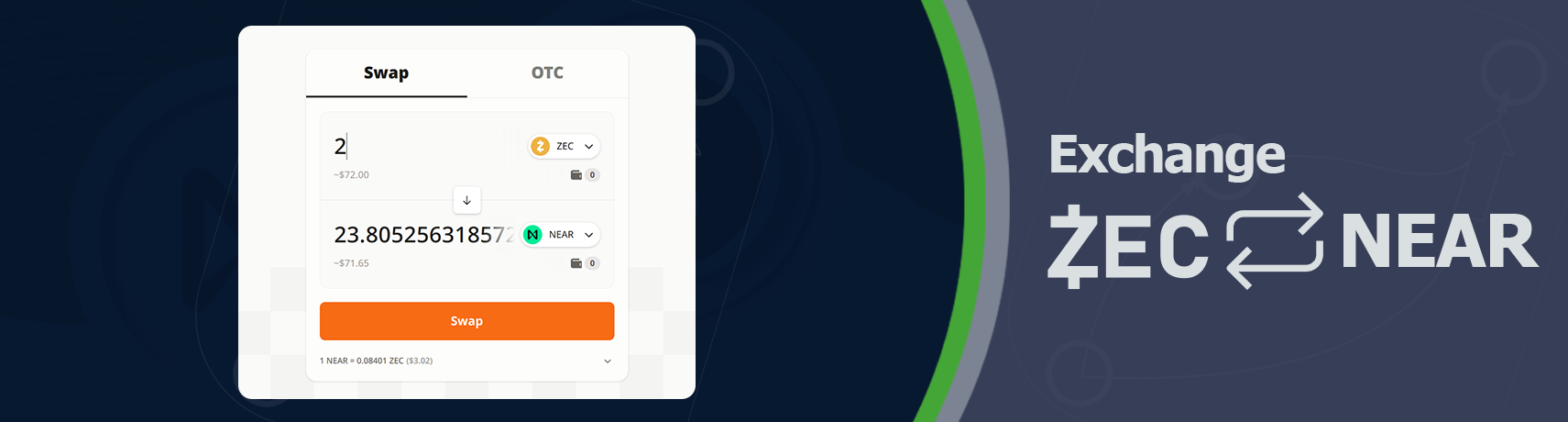
In the Exchange section, choose Zcash (ZEC) as the source currency and NEAR as the destination currency (or any other token available in NEAR Intents). Then, enter the amount of ZEC you wish to exchange. The platform will automatically calculate the approximate amount of NEAR you will receive. Confirm the exchange to complete the transaction and receive the funds in your wallet.
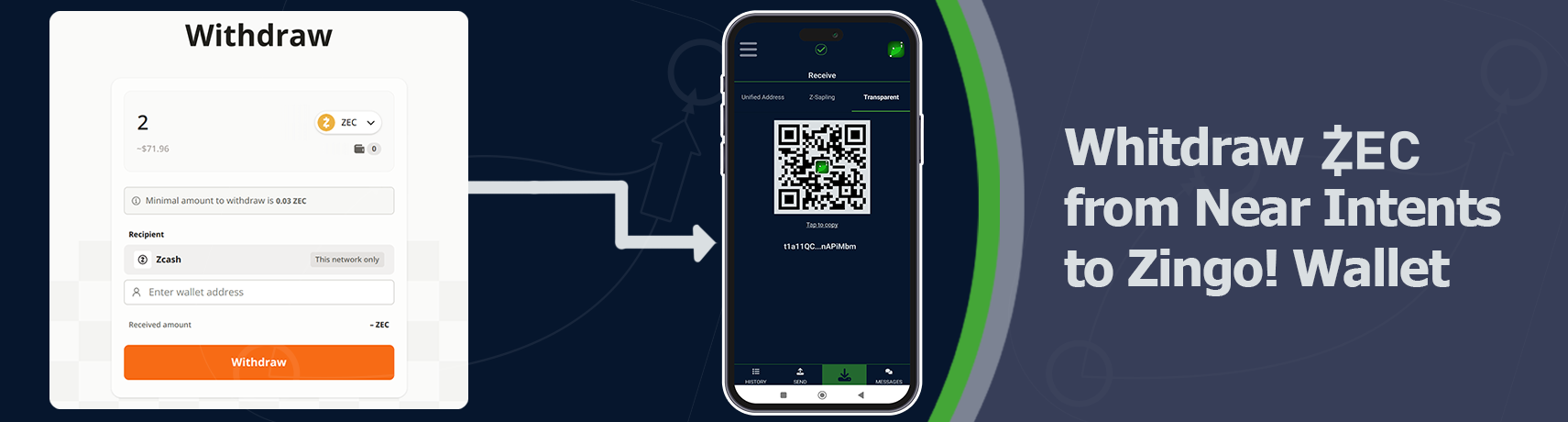
🔁If you wish to convert NEAR back to ZEC and receive them in Zingo! Wallet, initiate a new exchange by selecting NEAR as the source currency and ZEC as the destination currency. During the withdrawal process, enter your Zingo!🍃Wallet T-address to receive the ZEC. Verify and confirm the transaction.
Step 6️⃣: Shield your Funds in Zingo!🍃Wallet
Finally, to maximize privacy, shield your funds in Zingo!🍃Wallet. Within the wallet, select the Shield Fund option and follow the instructions to complete the process. This will ensure that your ZEC is protected and that future transactions are completely private.
By following these steps, you can transact between Zcash and NEAR efficiently and securely. This combination allows you to maintain control over your digital assets without compromising your privacy or requiring complicated verifications.
Install Zingo!🍃
🤖Google Play | 🍏App Store | 💻Zingo-PC | ✅GitHub

