Zingo!🍃PC is back with a bang! Our latest update, version 1.4.3 is here to give you a faster, safer and easier experience. Want to know how we've improved your favorite tool? Read on!
Compatibility with ZIP317
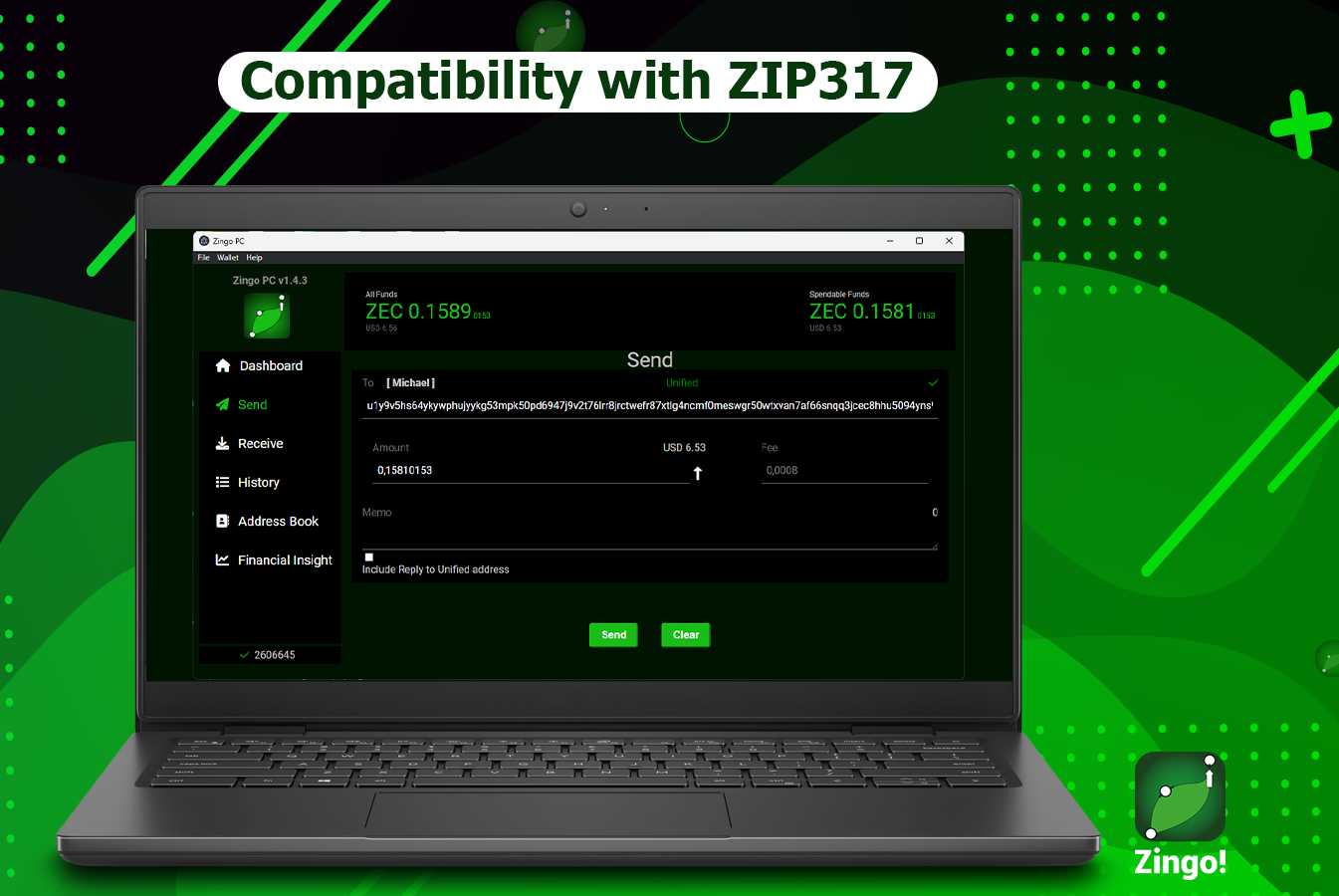
ZIP 317 introduces a new dynamic fee model in Zcashⓩ. This model bases the rates on the number of inputs and outputs of a transaction, thus reflecting the work done by the miners. The goal is to optimize network usage and ensure fair processing of transactions.
📄 More details in our article: An Analysis of ZIP 317
Value Transfer
This feature optimizes the display of transactions with multiple recipients. It details the total number, the amount of each payment (including commissions) and the corresponding recipients thus optimizing your wallet experience.
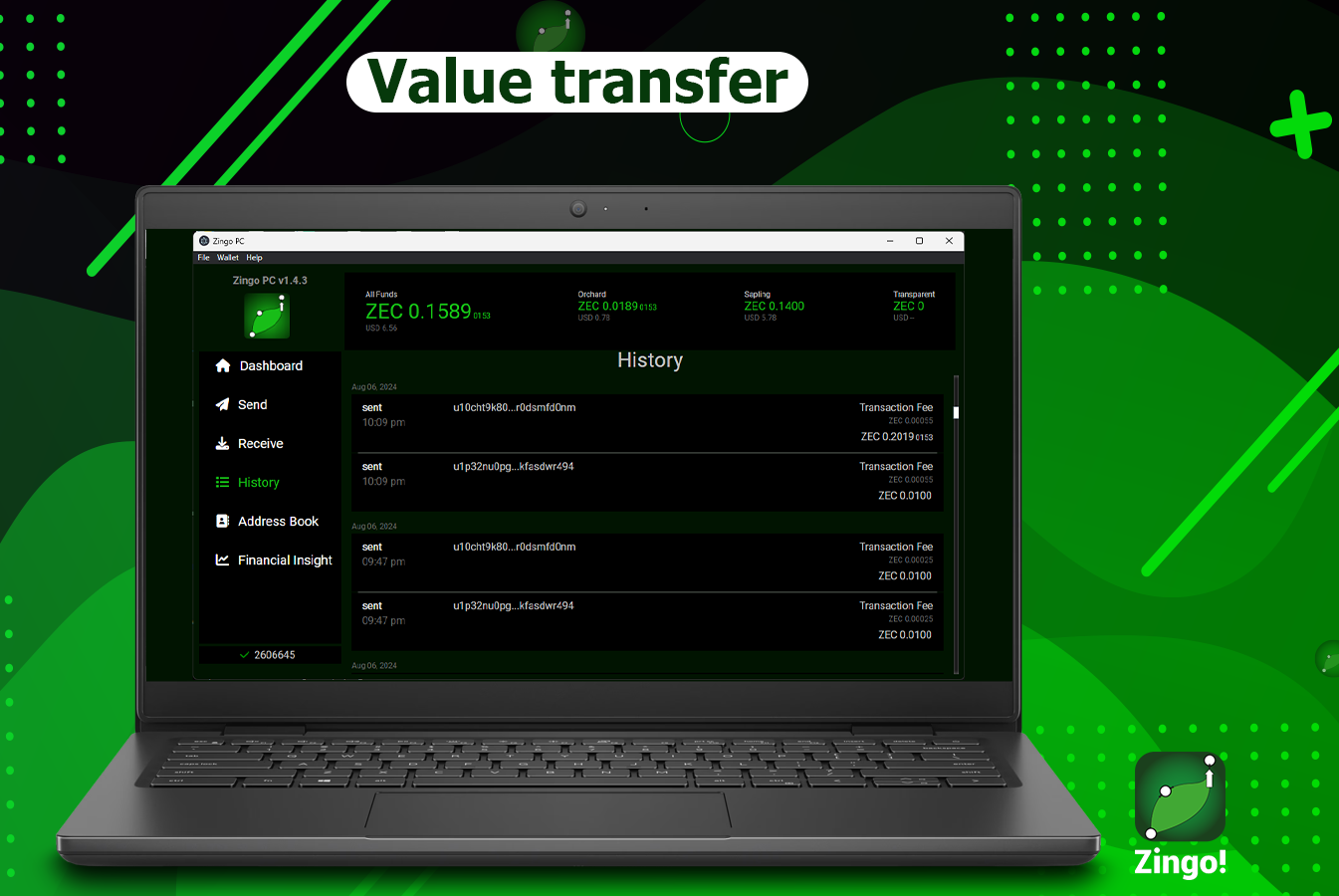
This clear and structured presentation facilitates the reconciliation and tracking of transactions.
New servers
To improve the performance of the Zcash lightwalletd infrastructure, ZEC-ROCK servers have been integrated. This global and regional network of servers optimizes wallet synchronization and transaction scanning, promoting user self-determination and network scalability.
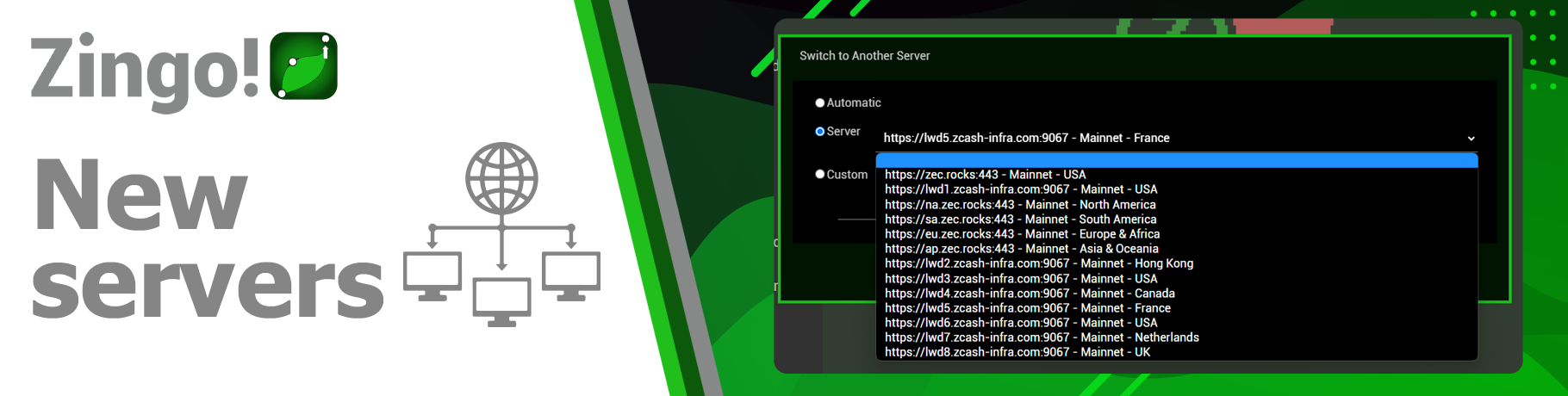
🌐We also integrated new block explorers: https://mainnet.zcashexplorer.app/ https://testnet.zcashexplorer.app/
Export QR Code as .PNG
Do you want to save your QR code as an image? It's easy! In Zingo!🍃PC, go to 'Receive', choose Unified, Sapling or Transparent and click on the QR code. File Explorer opens for you to save the image in PNG format and use it wherever you want.
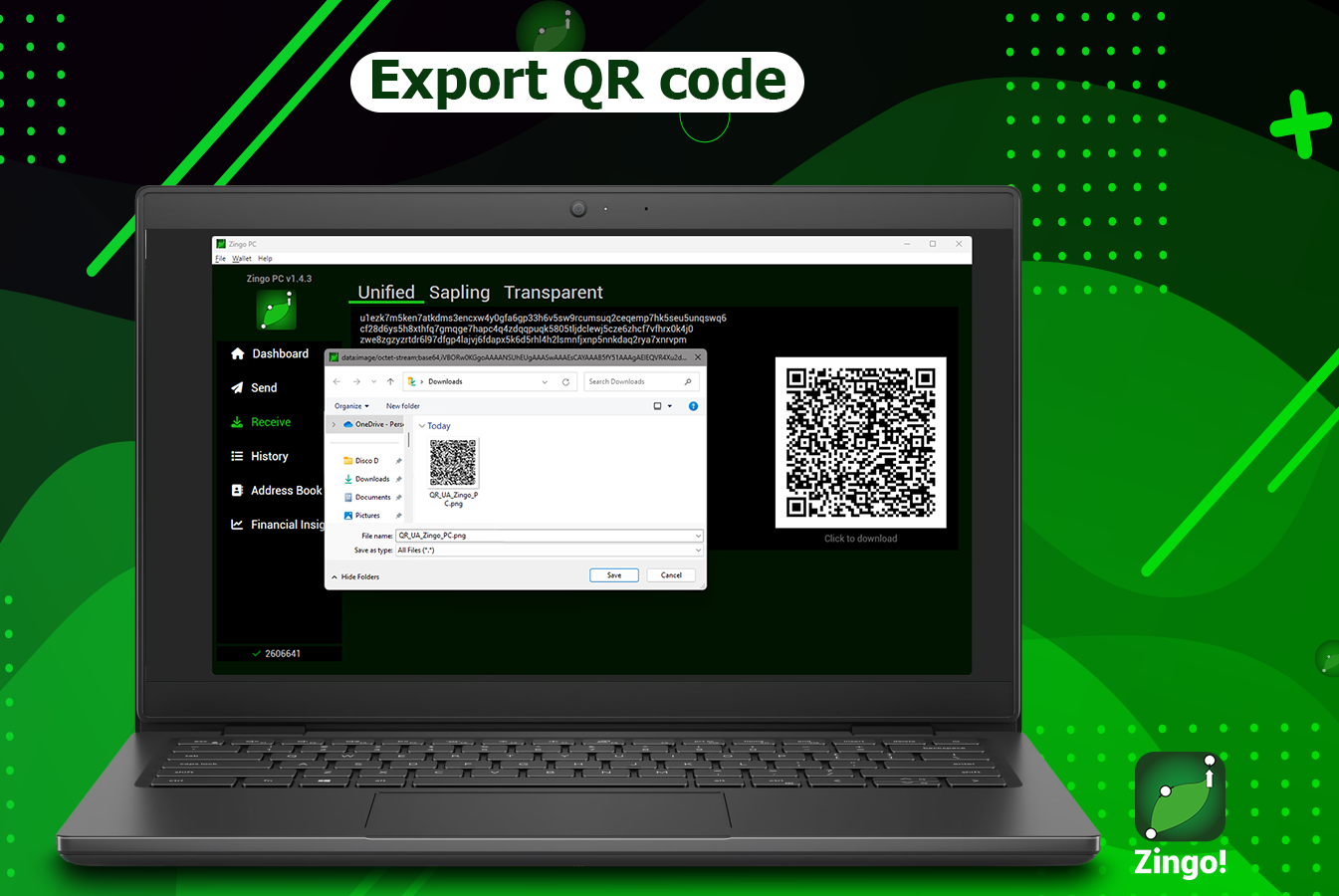
🔜 Coming soon, you will also be able to import QR codes from addresses and payment URIs in the "Send " section.
Other minor improvements
Upon successful processing of a transaction, a "View TXID" button will appear that will take you directly to view it in the block explorer.
The transaction details screen includes a navigator (▲▼) that allows you to scroll through the history, compatible with up and down arrow keyboard shortcuts.
The name of the contact in your Address Book is displayed in 'Send' when making a transaction and in the 'Reply to' field of the memo when the memo includes a reply to address.
We have worked hard to improve your experience. With these new features and improvements, your wallet is now more stable and secure. Upgrade now and get ready to enjoy all that we have in store!
Install Zingo!🍃
Zingo-PC | GitHub | Google Play | App Store

