
Did you think we wouldn't have an update for Zingo PC, on this page we tell you what we have included in the update v.1.1.0.
Faster synchronization when using ShardTree
In this version we have implemented ShardTree, a technology that makes wallet synchronization faster, more reliable and more secure. This means you'll be able to send and receive ZEC, view your transaction history and enjoy a better overall experience on Zingo PC - we hope you like the improvements!
ShardTree is now available in the latest version of Zingo PC. To use it, simply update your wallet.
Block Explorer View
Users can view the details of a transaction by simply tapping on any transaction in the history, but if you're curious about what is and isn't revealed when a transaction is made in Zcash, we've added a View in Block Explorer button.
To view more details of a Zcash transaction, follow these steps:
- Open Zingo PC and select the Transactions tab.
- Locate the transaction you wish to view and tap on it.
- On the transaction details screen, tap the "View TXID" button.
- A new browser window will open with the transaction information in Block Explorer.
New server list and Automatic selection
We have added a new server list for better synchronization. You can select a server manually or use the automatic selection to let Zingo PC choose the best one for you.
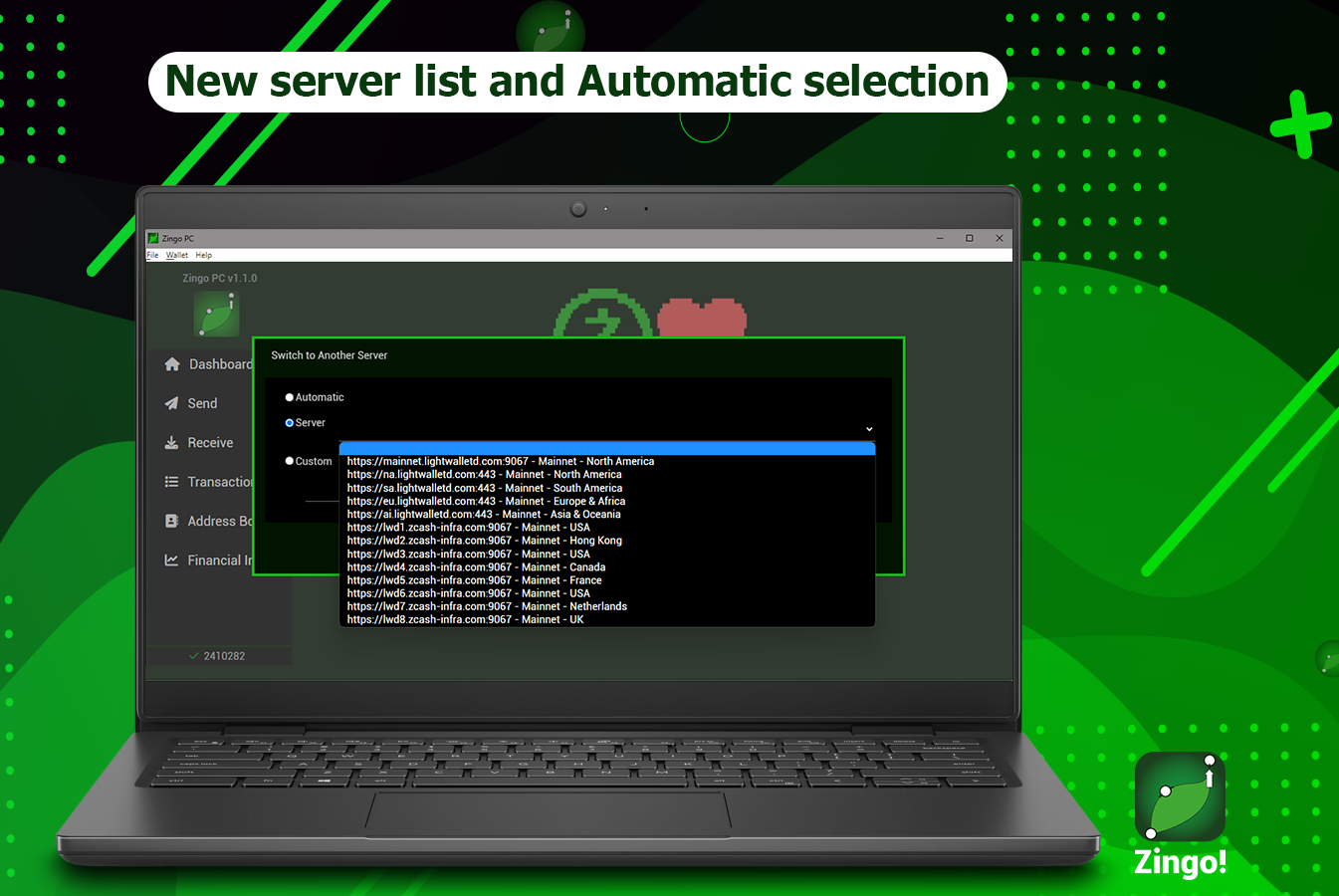
Tap Wallet in the top options bar, then tap Server info and finally tap Switch to another server to open the window where you can configure the settings and enjoy a faster and more reliable experience.
Financial Insight
Take control of your finances with Financial Insight! This new Zingo PC feature gives you a complete and intuitive view of your ZECs, allowing you to better understand your spending habits, identify patterns and make informed decisions.
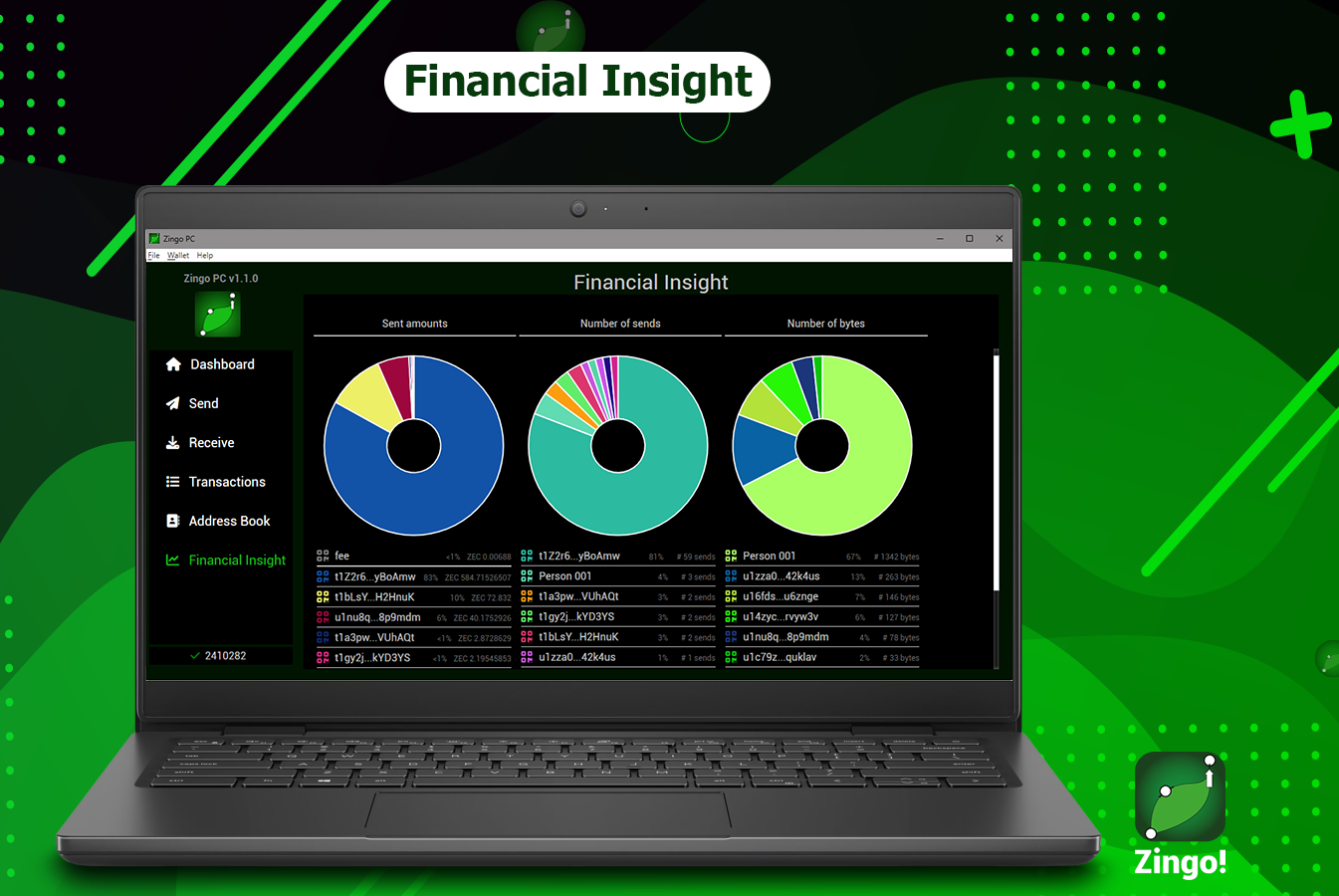
Access it from the side menu and discover how your money is evolving quickly and in different directions. Financial Insight helps you manage your ZECs more intelligently.
Switch to another wallet
Switching to another wallet is no longer an odyssey from this version, now you just have to tap on Wallet in the top options bar and use the Switch to another wallet option from where you can delete the current wallet file and create or restore another wallet.
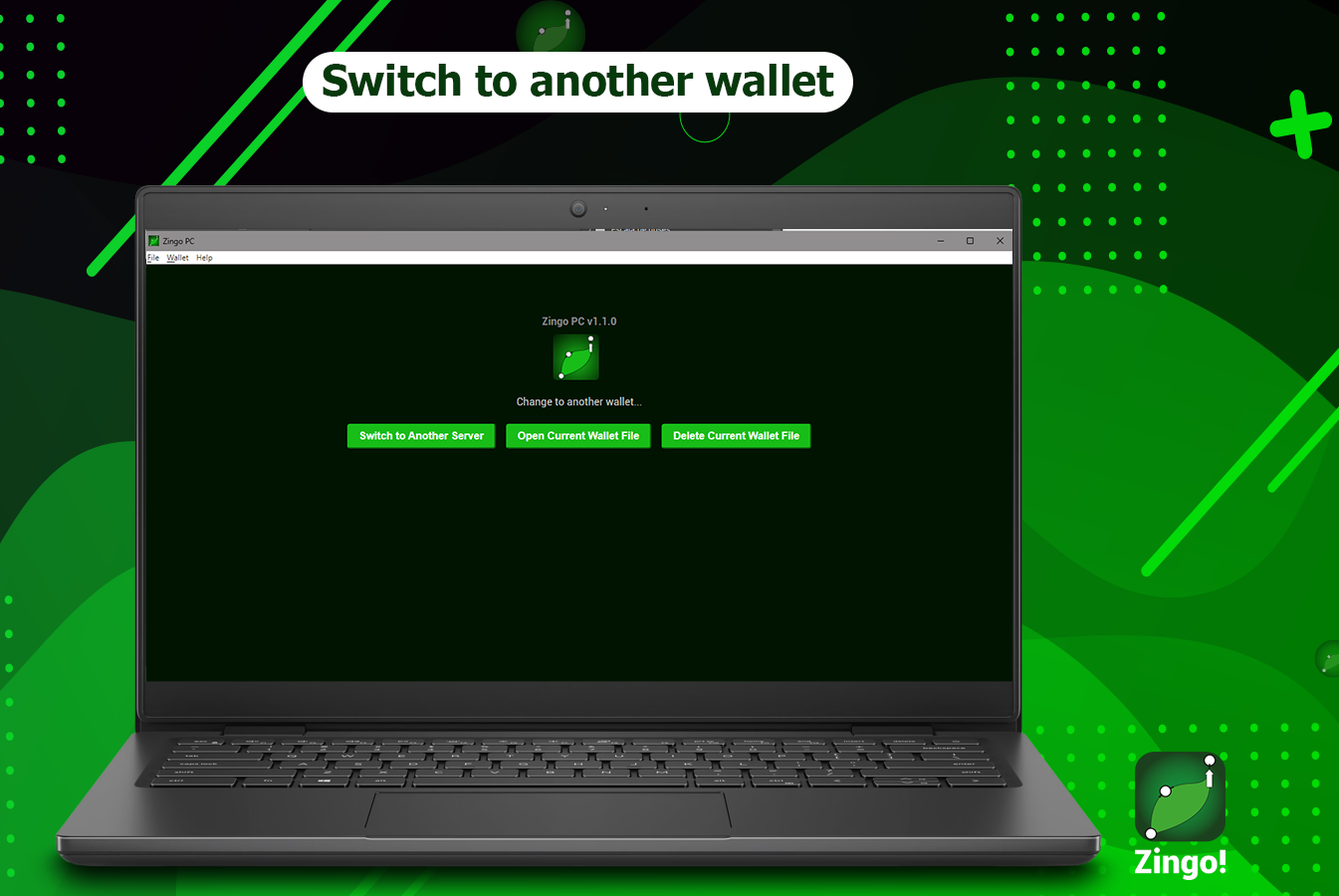
⚠️ Make sure you have a backup of your seed phrase before proceeding, this is the only way you will be able to open this wallet again.
View keys
You now have greater security and transparency with the use of View Keys on Zingo PC. Access the Unified View Key by tapping Wallet > Wallet Seed/View Key, use the key to view transactions from your shielded address without compromising your privacy.
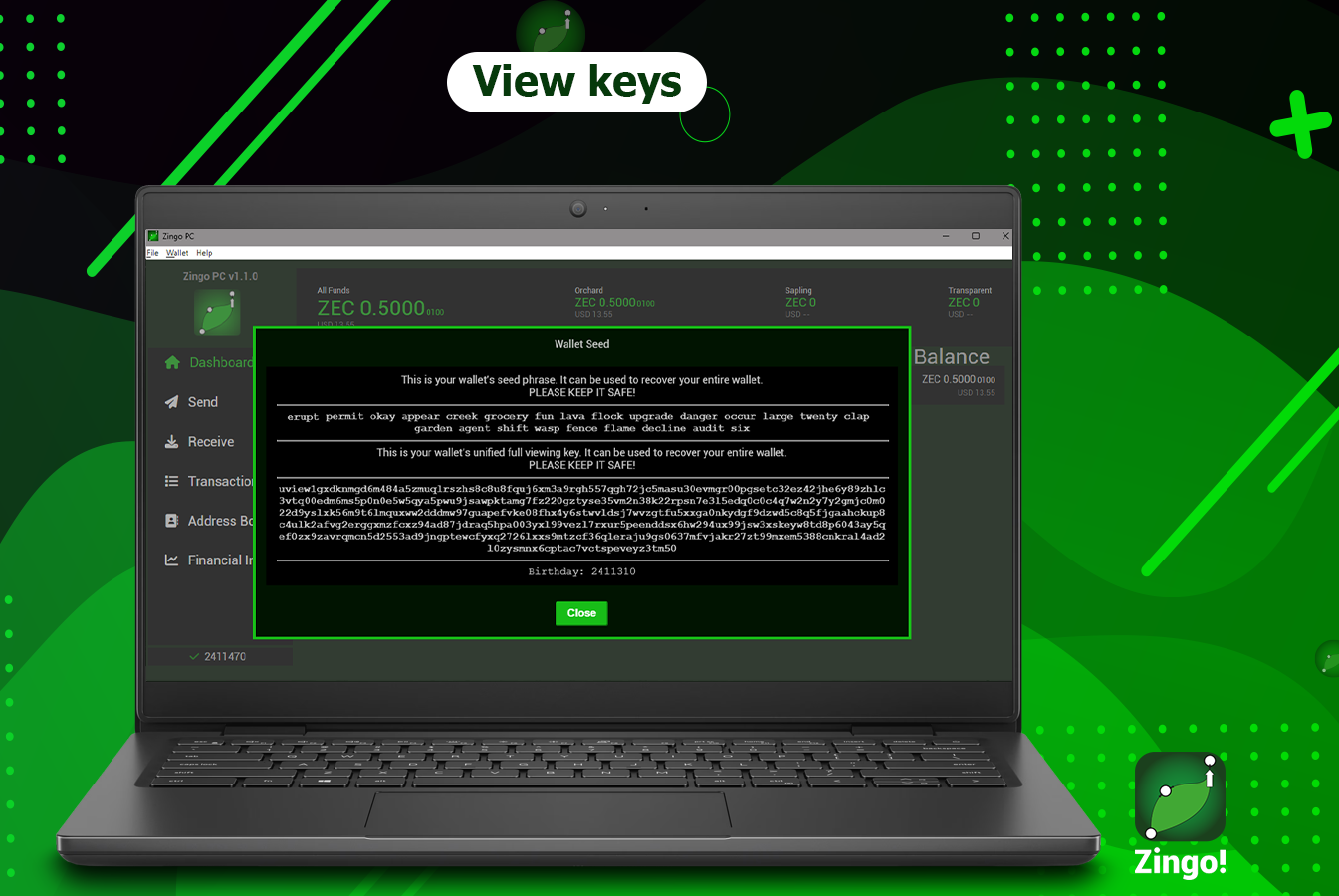
In this release, we also provide the option to restore your wallet using the View Key.
Thanks for reading!, share this page and follow us on [X] to stay up to date with our activities.
Install Zingo!
Zingo-PC
GitHub
Google Play
Apple App Store

