
In today's digital world, security is one of the main concerns for application users, especially when it comes to handling financial information. So we have implemented various security options that ensure the protection of your data and transactions.
In this article, we will explore the importance of these features, provide some security tips and explain how to configure them in your application.
Importance of Security in Financial Applications
Threats such as phishing, malware and unauthorized access can put not only your privacy, but also your assets at risk. That's why at Zingo!🍃 we invest in robust security features to protect you.
Zingo!🍃 offers several security options that you can configure according to your needs using the authentication method set on the device.
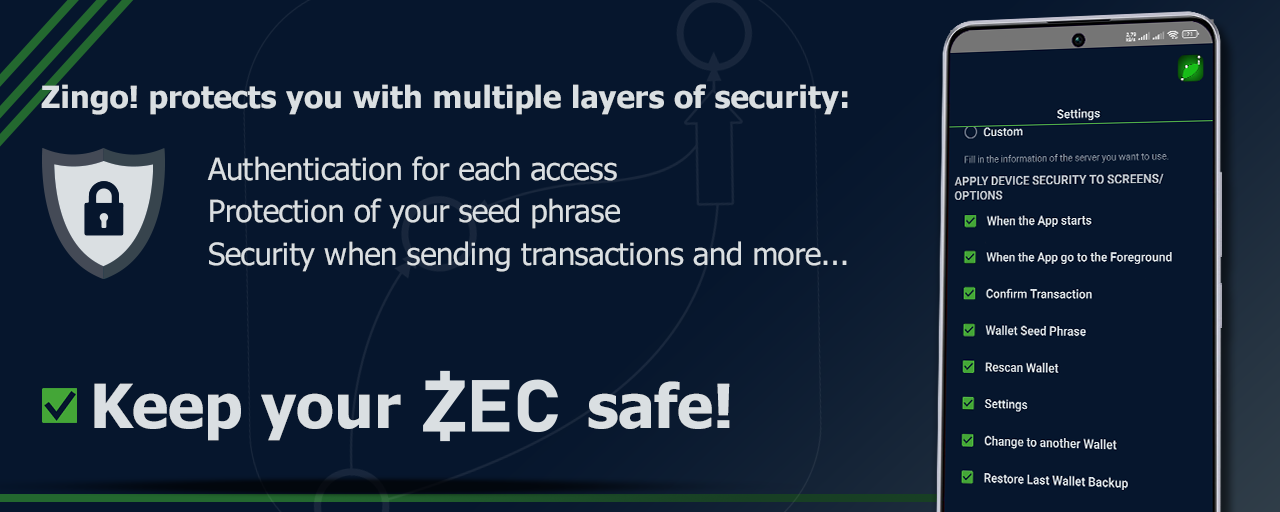
⚠️ Access the hamburger menu in the application, select Settings, scroll down until you find the Apply device security to screens... option and check the options you want to enable for your security.
| ✅ | When you start the app | Every time you open the app, you will have to enter your PIN or fingerprint to make sure it is you. |
|---|---|---|
| ✅ | When the app go to the Foreground | If you leave the app open and someone tries to use it, they will be prompted for authentication. |
| ✅ | Confirm Transaction | Before sending funds, you will be prompted for additional confirmation. |
| ✅ | Wallet Seed Phrase • Rescan Wallet | Protects the display of the purse seed phrase. |
| ✅ | Settings | Prevent others from modifying your security settings. |
| ✅ | Changer to Another Wallet | Requires authentication to open another wallet. |
| ✅ | Restore Last Wallet Backup | Authentication required to restore. |
Security Tips
To keep your data and transactions secure on Zingo!, here are some additional tips:
🛡️ Use strong passwords: Avoid using obvious or easy-to-guess passwords. Opt for combinations of letters, numbers and special characters.
🌐 Disable access to public networks: Avoid using public Wi-Fi networks to access your financial information, as they are less secure.
🔄 Keep your application up to date: Updates often include security enhancements. Make sure you always have the most recent version of the app.
📧 Be wary of suspicious emails and messages: Never share your login information through emails or messages.
🔐 Zingo!🍃 will never ask you for your password outside of the application.
The protection of your data and transactions is our top priority, and we are constantly working to ensure that you can operate in a secure environment. Remember to always stay informed and adopt safe practices to protect your information - your security is important!
Install Zingo!🍃
🤖Google Play | 🍏App Store | 💻Zingo-PC | ✅GitHub

