

Introducing Stargate. This project is one of a few experiments I run with AI. I wanted to create proxy server that could handle traffic into Tor (for onion services), I2P (eepsites), or just use Nym (mixnet) for clearnet or IPFS. The goal is to have simple gateway that I and my friends could use without installing multiple binaries for each of these networks.
The goal is not to be super invisible secure internet ninja, but still to be able to use and explore these networks with maybe some level on anonymization (if you have 'trusted' VPS provider, if anything like that exists, or you can run it from home server/laptop).
The idea is to have server that orchestrate traffic that comes from your browser and in some secure manner return the result, as proxies does. Access to the proxy is via browser extensions (tested on Brave and Firefox - Firefox is now under review in Mozilla store, but all is available on the GitHub)
V2
This is second try after I threw away Stargate V1. I spent over 5 months with V1 and I stuck and I was not able to move further. I think it was failure of selected process mainly Spec-Kit and its version of Spec-Driven development. It is interesting because custom version of this approach were quite successful for me with Zecsite and Infochat (with Infochat to some degree, V2 is in development now). But interestingly enough with newer models (Opus 5+ and Sol 6+, Astra 6) it stopped working and stuck in endless loops of deferral tickets and their life-cycles (more about that in other post, maybe).
Proxy
Proxy server is written in Java (Quarkus) and it is also used as controlling panel for proxy operator that can generate invitation for new device/browser. It provides basic overview about aggregated traffic and simple interface for simple actions such as upgrades, restarting, etc.
Currently it was chosen to bound it to localhost to not expose the endpoint to public so you need to map ports through SSH, more about it in the Operator Guide >> 2. Open the private manager .
The setup should be simple click through wizard, dockerizied - so, it should work anywhere, but who knows. More info can be found in the doc/gude in the GitHub.
Extensions
Extensions are available for download on GitHub release page. The guide how to add the extension into your browser is then shown in the User Guide
Every user will need to get onetime access code from the proxy operator. Once authenticated you can use the proxy extension the authenticated browser forever (or until you decide to delete the token form your browser).
Once you connect you can write the address into browser address bar as usual. Proxy will resolve onion addresses .onion or I2P .i2p and redirect them into correct network, everything else will go through Nym mixnet.
| Clear | Stargate | Observatory |
|---|---|---|
 |
|
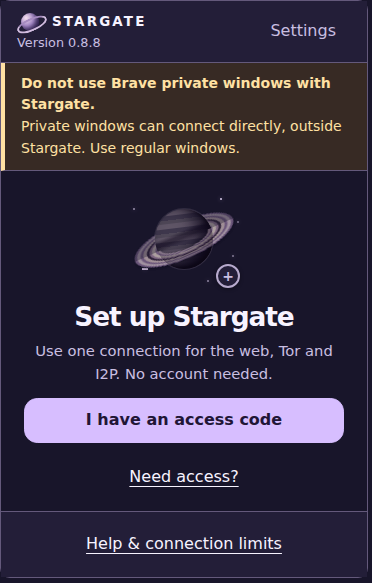 |
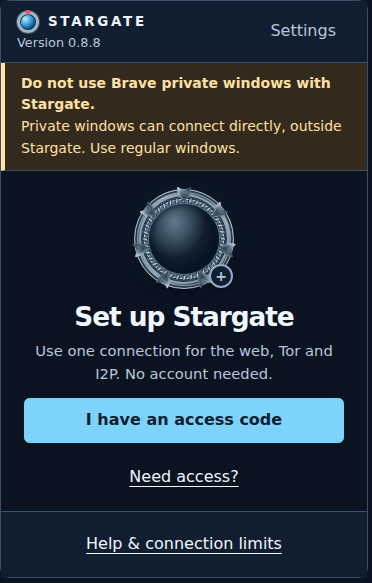
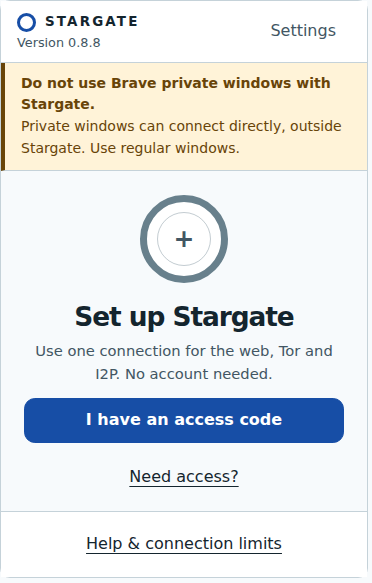
Just for fun, I added a couple of skins to make it more attractive, not sure if it works for you but I find it pretty nice (even thought this was done by Sol, not Sonnet, Opus or anything Anthtropic).
Why?
It was fun. I wanted to try to make project like that for longer time and try to bring especially I2P closer to people. It is up to people if they wanna take a pill. Also, I was surprised that Nym project offers access into its mixnet network for free. That's pretty cool.
Conclusion
Well, it is AI slop (but better than my human slop, FML). But it does what I wanted. Code is mess, I tried to whip it for security and privacy reviews through Astra-6, Luna-6 and GLM-5.3 hoping it was able to catch (and it was doing it) most of issues. If you are searching for the top privacy projects that would hide your traffic from bogeymen trying to track you - I would rather try official binaries directly (here they are used as sidecar for the Java proxy/dispatcher). If you want to try to experiment and check some onion services (websites in Tor network) or eepsites (websites in I2P) or IPFS/Clearnet through Nym mixnet network with a disposable VPS - this might be for you. Have a fun.
And if you want you can try to use it to access Zecsite through: