
What is it?
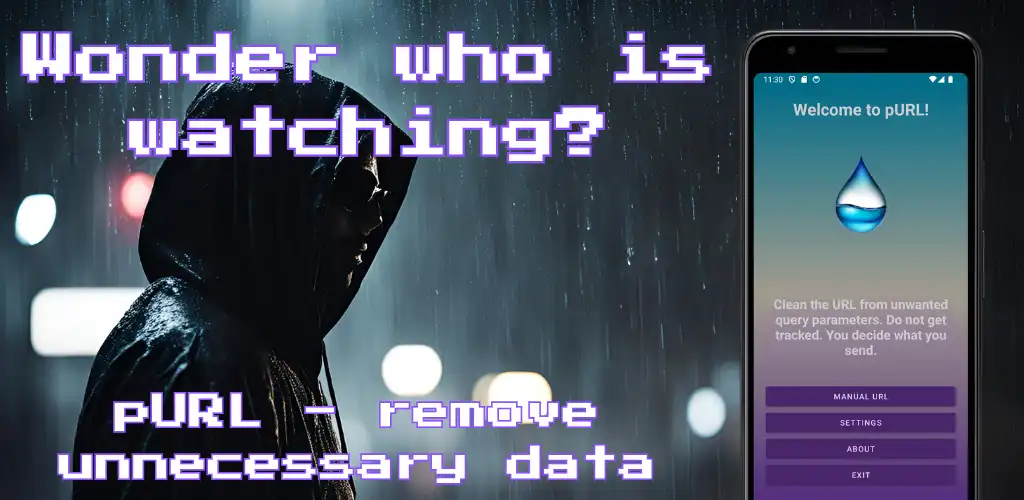
pURL (which should be a fun name standing for pure URL) is an Android app. It tries to give you the option to clean the URL (~ website address) from tracking parameters in case you want to share it with anyone. More info about the app can be found in the initial post pURL - clean the URL from tracking query parameters. Please, update to the newest version 1.1.0.
What is new?
I planned a couple of features, but in the end, it was limited to 3 and a half new features. Plus smaller adaptations. Sounds strange right? Let's have a closer look.
Address Book
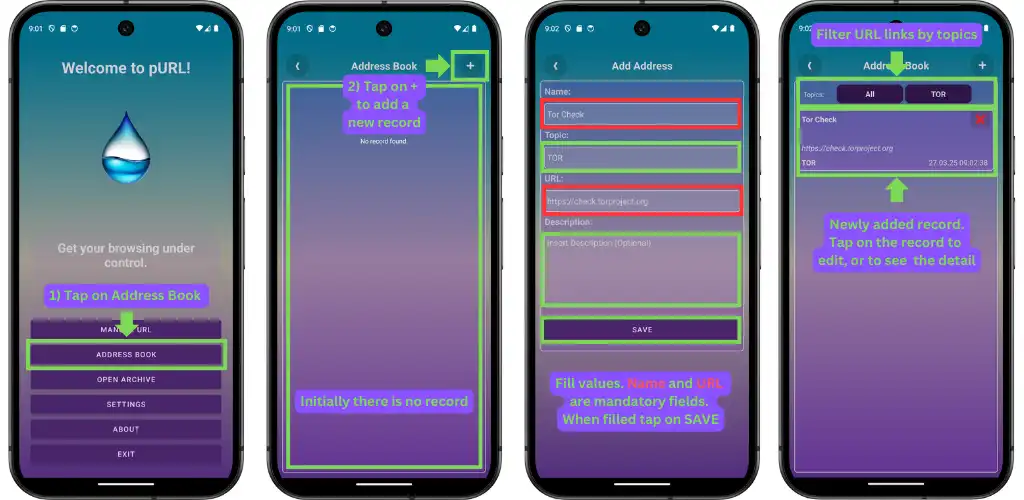
You can now store your favorite URL links in the customizable address book. You can also group URL links to topics with similar context (e.g. Twitter posts, News articles, etc.)
You can insert URL addresses either manually:
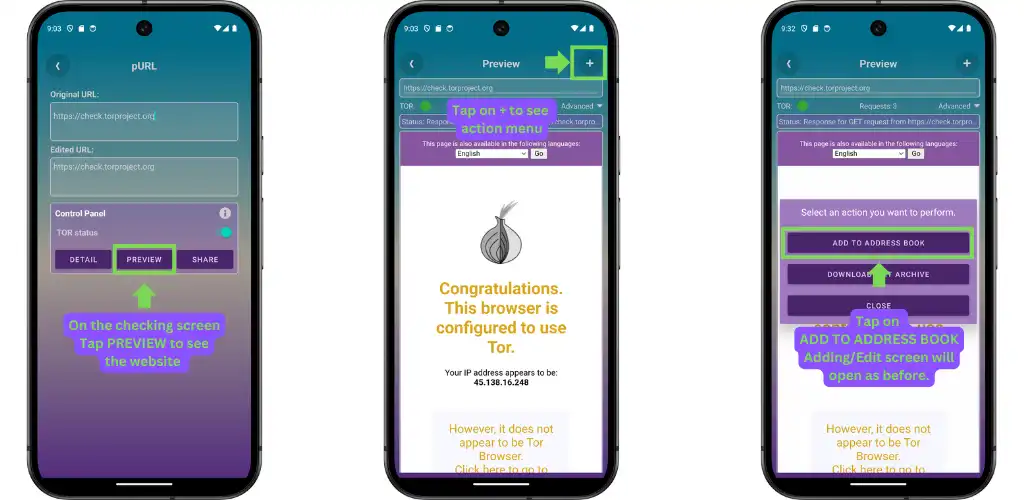
Or through the Preview screen:
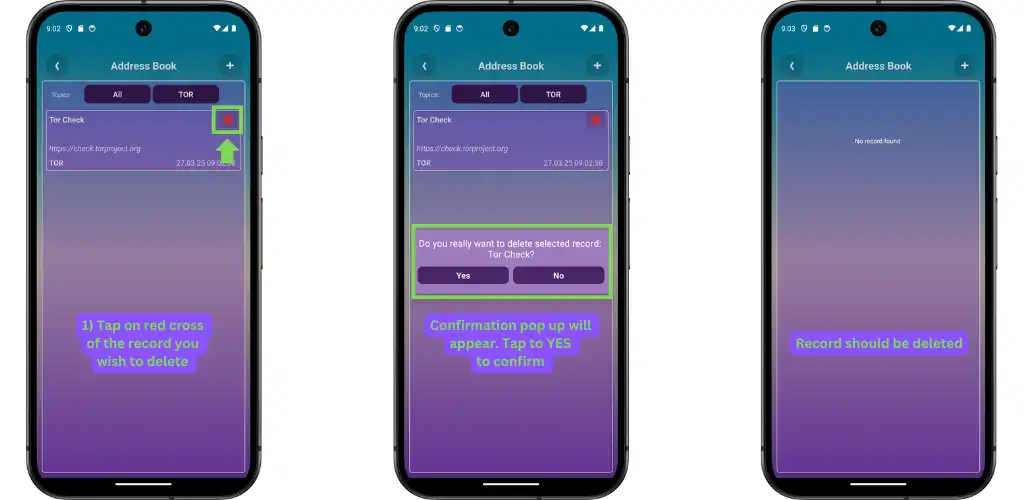
Editing or removal of the URL records is then possible from the Detail screen of the URL record directly from the list:
The idea is to have kinda bookmark functionality for visited URLs for later sharing or revisiting. You can assign a topic to each URL to keep the Address Book more structured and easier to search for saved URLs.
Requests Debug
The idea was to track failing requests when redirected to the TOR network. The original WebView client had an issue with HTTP requests containing data in its body (POST, PUT, etc.) when I wanted to pass its parameters to the client which should use the TOR proxy. At least the diagnosis I made.
I decided to integrate Android-Request-Inspector-WebView to solve that issue. It should work most of the time, but there might be cases when it does not work out (you can check their Github readme - issues with iframes).
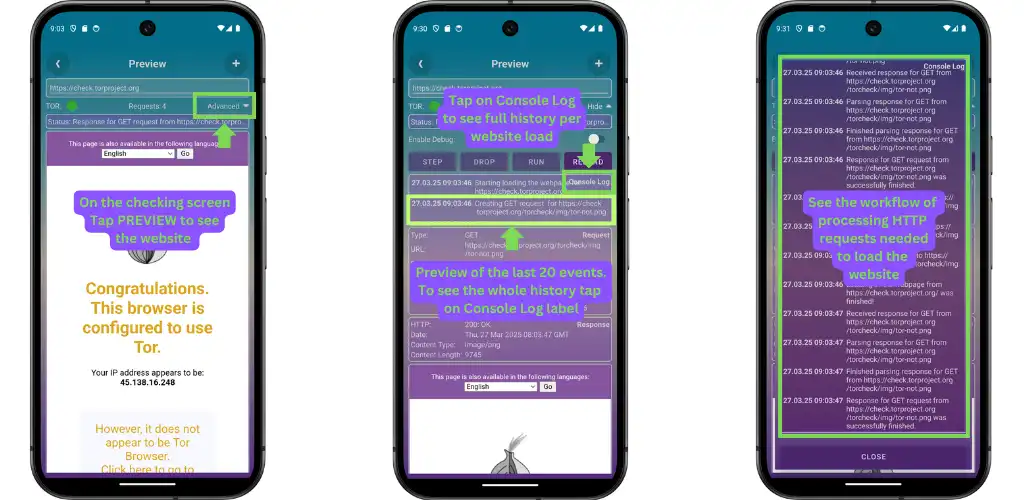
I thought it might be handy to release it also for regular users. Now you can see how many requests for different resources and services might be called just to see a simple Twitter post (over 200!!).
Debug log all actions made before the request is sent when it is sent, when it receives a response from the server, etc. For now, there is only a verbose level of logging (= very chatty one). I might add some scopes, but I will see in the future.
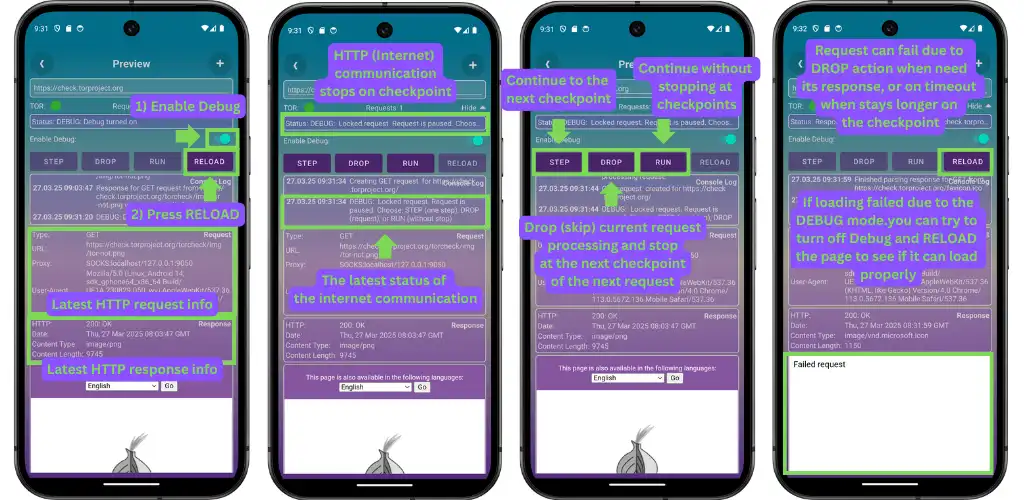
Funnily enough, the Debug mode might be a bit buggy. Please, let me know if you run into any issues with it.
Website Archive
This is an idea to have your private local Internet Archive feature. If you want to preserve the snapshot of the website you loaded in the pURL app, you can store it locally as *.mht file. This file can be later loaded and checked offline.
Saving the snapshot of the website can be done on the Preview screen via the menu triggered by the '+' button in the top right corner, as shown in the following image.
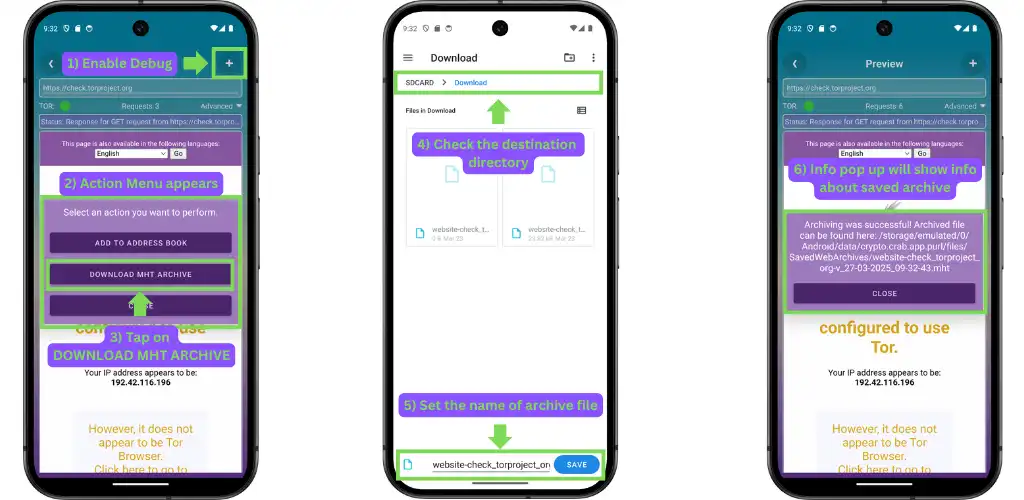
Files are stored in your Download directory. You are free to move them elsewhere as you wish, or even send them to anyone via other apps.
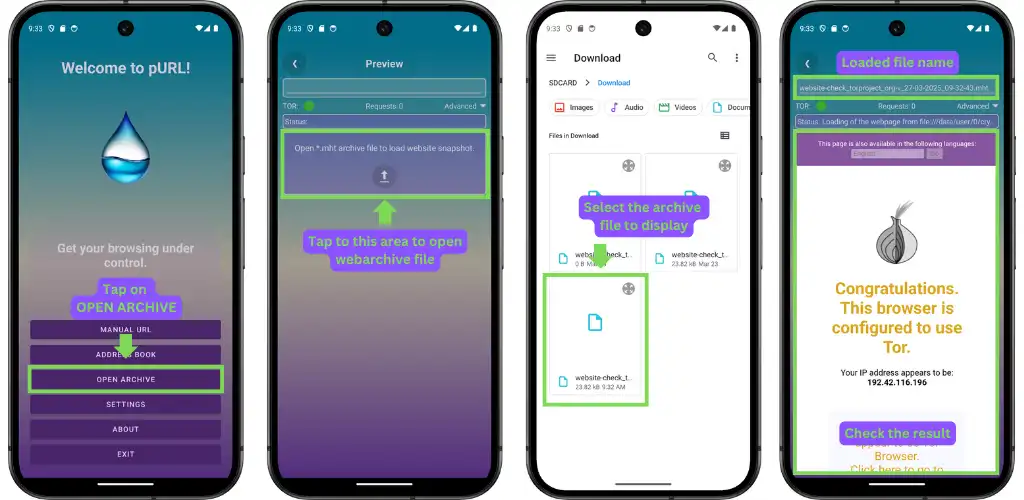
Deep Links
OK, this is the half-made solution. The idea was to make all URL links (like the one sent on WhatsApp, Signal, etc.) openable in the pURL app. But it works only for some versions of Android. I will have to look into it more deeply. But if you have an older Android version, it might work.
TOR stability
This is a bit embarrassing because I thought I resolved the stability issues before. But I did not :) I ran into an interesting problem that I did not see reported anywhere. It might be a wrong understanding from my side. I followed the official example of tor-android project and tried to use bound service to activities.
This works well until you try to turn off the TOR service and try to turn it on again. If you try to start it again it runs into some internal memory issue. This is happening on execution of run method from the tor-android library that seems to trigger execution of TOR binary file with config parameters.
It has been a long time since I was dealing with C/C++. So the solution I made was to use Application context instead to bind the activity. Turning it off does not kill the service, but it only uses the HTTP client without the TOR proxy. TOR service is then alive as long as the application is running.
Google Safe Browsing
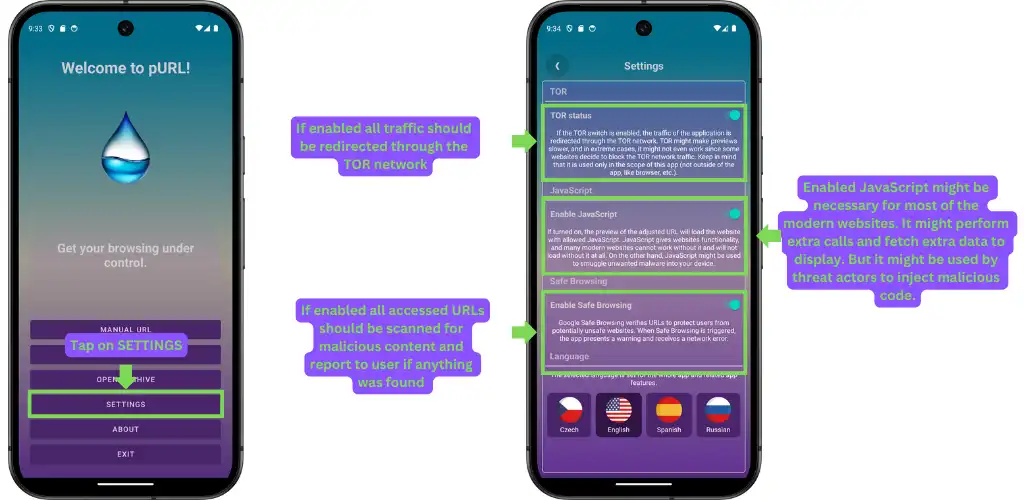
There is now a special switch to enable/disable usage of Google Safe Browsing service, which can detect that you try to enter some malicious website and show a warning pop-up.
tl;dr
- added Address Book
- added local archiving of the website (website snapshot as mht file)
- added displaying of archived mht files
- added debug mode for requests loaded in pURL
- added opening links (limited to some Android versions now)
- added option for Google Safe Browsing
- fix for TOR reconnection crashes
What is next?
I don't know. I was playing with the idea of using Biometrics/PIN to unlock the Address Book or to introduce another encrypted database for 'secret' records (one public and one or more encrypted instances). But I might go for some time off now due to various reasons.
Conclusion
It is a learning project that tries to solve my issue when I get links from family or friends. It is usually contaminated with some tracking parameters. This app should help to clean the URL and provide some level of anonymity and maybe even privacy with the archiving feature. If you find it handy, enjoy. If not, then not.