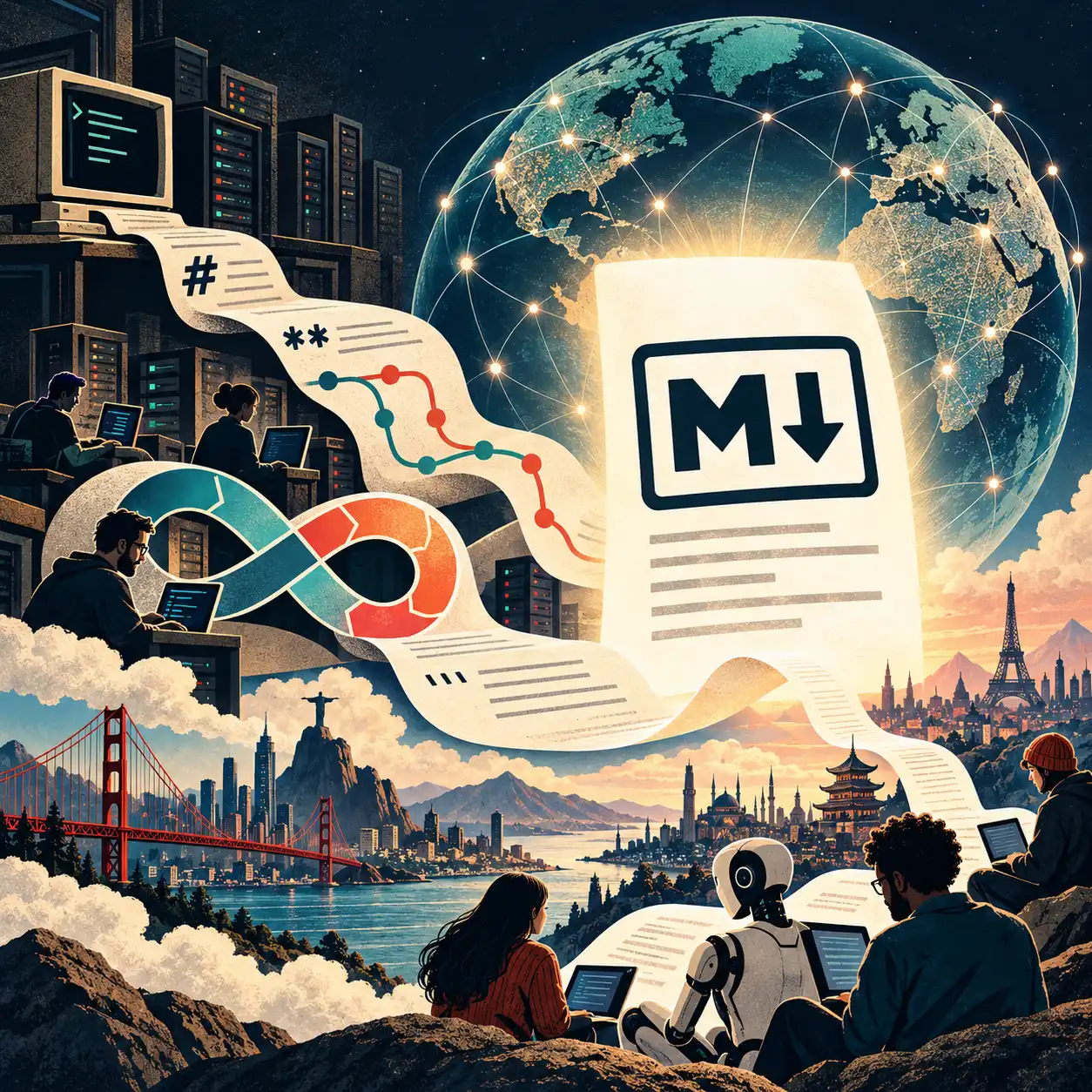
How a sixty-year-old idea about plain text, a computer scientist's war on ugly math, and a quiet revolution called DevOps explain why every AI chatbot now answers you in Markdown — and why your important documents should live the same way.
Start with a magic trick you see every day
Ask any AI chatbot a question and the answer comes back looking polished: bold words, neat bulleted lists, numbered steps, tables, little gray boxes of computer code, even properly typeset equations with fractions and square roots.
Here is the trick: the AI didn't send you any of that formatting.
It sent you plain characters — the same letters, numbers and punctuation you could type on any keyboard. What actually comes out of the model looks something like this:
## Three reasons to stretch 1. It improves **flexibility**.2. It reduces the risk of *injury*.3. It feels good. - Hold each stretch for about 30 seconds- Don't bounceYour chat app then runs a small program called a renderer that reads those symbols and draws the pretty version on your screen. Two pound signs (##) at the start of a line mean "this is a heading." A line starting with 1. means "numbered list." A dash and a space means "bullet point." Wrapping a word in double asterisks — **flexibility** — means "make this bold." One asterisk means italic.
That set of conventions has a name: Markdown.
Math works the same way, with a different and much older notation. When a chatbot shows you a beautifully formatted equation, the model actually wrote something like:
The quadratic formula is $x = \frac{-b \pm \sqrt{b^2 - 4ac}}{2a}$The dollar signs say "math starts here, math ends here." \frac{top}{bottom} means "draw a fraction." \sqrt{...} means "draw a square root sign over this." b^2 means "b squared." A specialized renderer — usually a free program called MathJax (first released in 2010) or KaTeX (released by Khan Academy in 2014) — turns that into the equation you see. That math notation comes from a system called TeX, invented by a Stanford professor in the late 1970s, and we'll get to him shortly.
Fully rendered:
The rest of the toolkit follows the same pattern:
- Code is fenced off with three backticks (
```), and the renderer draws a gray box with colored syntax. - Tables are drawn with pipes and dashes:
| Name | Age |over a row of|---|---|. - Diagrams — flowcharts, timelines, org charts — can be written as text in a language called Mermaid, and a renderer turns the text into a picture.
- Links look like
[the words you click](https://the-address.com).
If you've ever seen a chatbot answer briefly flash stray asterisks or pound signs and then "snap" into formatting, you were watching this happen live: the text streams in a few characters at a time, and the renderer keeps redrawing as each new piece arrives. For a split second it has **flex and doesn't yet know the bold is going to close.
So the real question is: why this? Why did the most advanced software ever built settle on a formatting convention that a blogger wrote as a small script in 2004, plus a math notation from the 1970s?
The answer is a fifty-year story about plain text, about programmers learning to keep everything in a shared history, and about an idea called DevOps that most people — including many in the tech industry — misunderstand. By the end, I hope to convince you of something practical: the documents that actually matter to your work should be written the way the chatbot writes, and stored the way programmers store code.
Part 1: What "plain text" means, and why it never dies
Every file on your computer is just a long row of numbers. What differs is how those numbers are meant to be read.
A plain text file is the simplest possible arrangement: each number stands for one character. Open it in any program on any computer from any decade — Notepad, a phone, a 1985 terminal — and you see the words. Nothing is hidden. Nothing needs a specific app.
A Word document (.docx) is different. Rename one to end in .zip and open it, and you'll find a folder full of files written in a verbose, machine-oriented language called XML, describing fonts, margins, revision marks, styles, and relationships between parts. It is a set of instructions for Microsoft Word (or programs imitating it). Open the raw contents in Notepad and you get pages of angle brackets with your actual sentences scattered among them. A PowerPoint file is the same idea, but worse: your words are scattered across separate files per slide, tangled up with positioning coordinates.
That difference sounds technical, but it has huge consequences:
- Plain text lasts. The internet's founding technical memos — called RFCs, starting with RFC 1 in April 1969 — were plain text. You can still read every one of them today, unchanged, in any browser. Try opening a word-processor file from 1989.
- Plain text can be compared. You can put two versions side by side and a computer can tell you exactly which words changed. (Hold that thought — it's the heart of this whole story.)
- Plain text works with everything. Search tools, email, chat, programming languages, and now AI models all speak it natively.
The engineers who built Unix at Bell Labs in the early 1970s turned this into a philosophy. Doug McIlroy, who invented the Unix "pipe," summed it up in advice that has guided programmers ever since: write programs to handle text streams, "because that is a universal interface." Small tools, each doing one job, passing plain text to each other.
Even formatting started as plain text. In 1964, an MIT researcher named Jerome Saltzer wrote RUNOFF, a program that read a text file sprinkled with little commands (like a line saying .center) and printed a formatted document. Its descendants — roff, nroff, troff — formatted the Unix manuals, and still format the built-in help pages on Macs and Linux computers today. The idea was set from the very start: write in plain text; let a program make it pretty.
Part 2: Donald Knuth gets angry about ugly math
In 1977, Donald Knuth, a Stanford computer scientist, was preparing a new edition of the second volume of his life's work, The Art of Computer Programming. The publisher had switched from traditional metal typesetting to new computerized phototypesetting, and when Knuth saw the proofs, he was appalled. The mathematics looked bad.
Most people would have complained to the publisher. Knuth decided to solve typesetting himself — permanently. He expected it to take a few months; it took most of a decade.
The result was TeX (pronounced "tech," from the Greek root of "technology" and "art"). TeX lets an author write mathematics in plain text — \sqrt{x}, \frac{a}{b}, x^2, \sum_{i=1}^{n} — and produces typesetting as good as the finest hand-set books. Knuth also built Metafont to design the fonts. Then he did something almost unheard of: he froze TeX. Since the 1980s it has received only bug fixes, and its version number creeps closer to π with each one (it's currently 3.141592653). Knuth has said that when he dies, the version number becomes π exactly and no further changes will ever be made.
The consequence: a TeX document written in 1985 still produces the same pages today. That is the plain-text promise, kept for forty years.
In the mid-1980s, Leslie Lamport (who later won computing's highest honor, the Turing Award, for unrelated work) built LaTeX on top of TeX. LaTeX let authors describe what things were — "this is a section," "this is a citation," "this is a theorem" — rather than how they should look. That separation of meaning from appearance became a central idea in everything that followed. LaTeX became, and remains, the standard way scientists and mathematicians write papers. When the physics preprint server arXiv launched in 1991, it asked authors to submit their TeX source, not just a finished PDF — because the source text is the durable thing.
Knuth had one more idea that matters here. In 1984 he proposed literate programming: instead of writing code with a few comments, you write an essay for human readers, with the code woven inside it. One tool extracts the program for the computer; another produces a typeset book for people. The idea that explanation and the thing being explained should live together, in the same text file, is exactly where modern software documentation — and modern AI instruction files — ended up.
So here is the first thread of our story: when your chatbot shows you a typeset equation, it is writing in Knuth's notation from 1978. No one has come up with anything better for writing math in plain text, and AI models learned it from decades of scientific papers.
Part 3: Angle brackets, and the detour through "What You See Is What You Get"
The second family of formatting languages went in a more industrial direction.
In 1969, three IBM researchers (Charles Goldfarb, Ed Mosher and Ray Lorie) created GML, a way to label the parts of a document with tags. It grew into SGML, an international standard in 1986, used for enormous technical manuals in aerospace, defense and publishing. In 1991, Tim Berners-Lee borrowed SGML's style of tags for a small language to link documents together over a network: HTML, the language of the web. In 1998 came XML, a general-purpose version used for data of all kinds.
These are powerful, but they are written in angle brackets: <p>This is <b>bold</b>.</p>. They're fine for machines, but tiring for people to read and write by hand. A paragraph of real writing in raw HTML is hard to read.
Meanwhile, the personal computer brought a completely different philosophy: WYSIWYG — "What You See Is What You Get." Microsoft Word arrived in 1983. PowerPoint was created by a small company called Forethought, released in 1987, and bought by Microsoft that same year. With these tools you don't write instructions; you click a button labeled B and the text turns bold on screen. For the general public this was a huge step forward, and it's how most of the world's business documents have been written for forty years.
But WYSIWYG has a hidden cost. The formatting and the text are welded together inside a file that only one kind of program fully understands. For decades Word and PowerPoint files were stored in secret binary formats. In 2006–2008 Microsoft's newer formats (.docx, .pptx) became official international standards — but as we saw, "open" here means "a zipped bundle of XML," not "a file a human can read."
There was a cultural cost too. In 2003, the information designer Edward Tufte published a famous essay, The Cognitive Style of PowerPoint, arguing that slide decks chop reasoning into fragments and bullet points that hide what matters. He pointed to the investigation of the Space Shuttle Columbia disaster, where a critical engineering concern had been buried in a dense slide. A year later, in 2004, Jeff Bezos banned slide presentations from Amazon's senior meetings and required six-page written narratives instead — on the theory that writing full sentences forces clear thinking.
Both critiques land on the same point: the format shapes the thinking, and the most important material deserves to be written as connected prose with clear structure — not decorated slides.
Part 4: Writing like an email — the birth of Markdown
Ordinary people had their own formatting system the whole time, and nobody designed it: email.
In the plain-text email and Usenet discussion forums of the 1980s and '90s, there was no bold button. So people invented conventions. You wrote *really* to emphasize a word. You started lines with - or * to make a list. You quoted the person you were replying to by starting each of their lines with >. You underlined a title by putting a row of ==== beneath it. Everyone understood these marks, and they read fine even if no program ever "rendered" them.
Over the next decade, several people turned those habits into formal systems:
- Setext (1991), by Ian Feldman, formatted the Mac newsletter TidBITS using the underline-with-equals-signs convention.
- The wiki (1995): Ward Cunningham's WikiWikiWeb let anyone edit a web page by typing simple text marks instead of HTML. Wikipedia (2001) inherited the approach.
- Programming languages grew their own documentation formats written right next to the code: Perl's POD (1994), Java's Javadoc (1995), and others.
- reStructuredText (around 2001–2002), created by David Goodger for the Python programming community, was rigorous and powerful. With the Sphinx tool (2008), it became the system behind Python's official documentation and thousands of software manuals, many hosted on Read the Docs (2010).
- AsciiDoc (2002) aimed to give book publishers the power of complex formats in readable plain text. Textile (2002) and Emacs Org-mode (2003) found their own loyal audiences.
Then, in 2004, a writer and designer named John Gruber, working with the young programmer Aaron Swartz, released Markdown. Gruber's stated design goal was the key to everything that followed: a Markdown document should be publishable as is, as plain text, without looking like it had been marked up with tags or formatting instructions. In other words, it should look like a well-written email. The bullets look like bullets before they're rendered. The headings look like headings. You can read the raw file and understand it perfectly.
Markdown wasn't the most powerful of these systems. reStructuredText and AsciiDoc can do far more. Markdown won anyway, for the reason good standards usually win: it was the easiest to learn, and the raw text looked like something a normal person would write.
Two years later, in 2006, a Berkeley philosophy professor named John MacFarlane released Pandoc, a free "universal document converter." Pandoc can turn Markdown into Word documents, PDFs (by way of LaTeX), web pages, e-books and slide decks — and convert many formats back. That matters enormously, because it means writing in Markdown never traps you: when someone demands a .docx, you produce one in a second.
Part 5: Version control — the time machine programmers built for themselves
To understand why Markdown conquered the software world, and why that matters to everyone else, you need one more idea: version control.
Imagine Word's "Track Changes," but:
- for an entire folder of files at once, not just one document,
- going back to the very first day, forever,
- where every change is labeled with who made it, when, and a short note explaining why,
- where you can instantly see exactly which lines changed between any two moments in history,
- where dozens or thousands of people can work on copies at the same time and then combine their work,
- and where you can restore any past state with one command.
That's version control. It's how virtually all software is built.
It began at Bell Labs too. SCCS (1972) tracked changes to source code files. RCS (1982), CVS (late 1980s) and Subversion (2000) each improved on it. Then, in April 2005, Linus Torvalds — creator of the Linux operating system — wrote Git in a matter of weeks, after Linux lost free access to the commercial tool it had been using. Git was fast, it let everyone keep a full copy of the entire history, and it made combining people's work (called "merging") practical at enormous scale.
In 2008, GitHub launched as a website to host Git projects and work on them together. It popularized the pull request: instead of changing the official version directly, you propose a change, others can review it line by line, comment, ask for edits, and approve it before it's merged in. A pull request is a formal, recorded conversation about a specific, visible change. Combined with version history, it gives you something no shared drive ever has: a complete, reviewable, attributable record of how a body of work came to be what it is.
Here's the catch, and it's the hinge of this entire article: version control only really works on plain text.
The tool that shows "what changed" — called a diff — compares files line by line. On a text file, it shows you: this sentence was removed, this one was added, in this paragraph. On a Word or PowerPoint file, which is a compressed bundle of machine instructions, the best it can say is "this file changed." You lose the time machine's most useful feature. You can't review the change. You can't merge two people's edits automatically. You can't search the history meaningfully.
So programmers, who lived inside version control all day, began wanting everything that mattered to be plain text, so it could live alongside the code with the same history, review and safety. That impulse — not any particular tool — is the real story of DevOps.
Part 6: DevOps, and what it actually means
The wall between builders and keepers
For most of computing history, software organizations had two separate tribes.
Development ("Dev") wrote the software. They were rewarded for shipping new features — for change.
Operations ("Ops") ran the software: they set up and maintained the servers (the computers in data centers that actually run websites and applications), kept everything online at 3 a.m., and handled crashes. They were rewarded for stability — for no change, since change is what breaks things.
Developers would finish a release and, in the industry's phrase, "throw it over the wall" to Operations, who had to figure out how to install and run it. The two sides had opposite incentives and spoke different languages. Releases happened every few months, were terrifying, and frequently failed.
Crucially, the way operations work was recorded was completely different too. Developers' work lived in version control. Operations' work lived in people's heads, in shell histories, in wiki pages that were out of date, in thick binders of procedures, and in the servers themselves — each machine configured by hand, slightly differently, over years. Industry slang called these machines "snowflake servers" (each unique, and nobody knows exactly how it got that way) or pets (named, loved, nursed back to health when sick, and irreplaceable).
Ops starts writing things down as code
The fix started with a simple, radical idea: describe how a server should be set up in a text file, and have a program make the server match that description.
- CFEngine (1993), created by Mark Burgess, a physicist-turned-computer-scientist in Oslo, was the pioneer: you wrote a description of the desired state, and an agent on each machine kept nudging the machine toward it.
- Puppet (2005), Chef (2009), Salt (2011) and Ansible (2012) made the approach mainstream.
The shift is easiest to grasp with an analogy. The old way was like a chef who cooks from memory and improvises: if they leave, the recipe leaves with them. The new way is a written recipe that any kitchen can follow and get the same dish, every time — and because it's text, it can be stored in version control. Every change to the recipe is recorded, reviewed and reversible.
This idea got a name: Infrastructure as Code.
The cloud makes it unavoidable
In 2006, Amazon launched Amazon Web Services' storage (S3) and rentable servers (EC2). Suddenly you didn't buy a physical machine and wait weeks for delivery; you requested one through software and had it in minutes. And if machines could be created by software, they could be described in text files and created automatically from those descriptions. In the cloud, servers stopped being pets and became cattle: numbered, identical, replaced rather than repaired.
A wave of tools followed, each turning another piece of operations into text files in version control:
- Vagrant (2010): your development environment, defined in a text file.
- AWS CloudFormation (2011) and Terraform (2014): entire data centers — networks, servers, databases, permissions — written as text.
- Docker (2013): a "container" bundles an application with everything it needs to run, and the recipe for building it is a short text file called a
Dockerfile. - Kubernetes (announced by Google in 2014, version 1.0 in 2015): you write text files declaring "I want five copies of this application running, reachable at this address," and the system continuously works to make reality match.
The movement gets a name
The cultural side caught up at the same time. At the Agile 2008 conference in Toronto, Andrew Shafer proposed a session on "Agile Infrastructure"; a Belgian consultant named Patrick Debois was reportedly the only person who showed up, and the two started talking. In June 2009, John Allspaw and Paul Hammond of the photo-sharing site Flickr gave a now-legendary talk at the Velocity conference titled "10+ Deploys Per Day: Dev and Ops Cooperation at Flickr" — at a time when many companies released software a few times a year. Debois, watching remotely, organized a conference in Ghent, Belgium, in October 2009 and called it DevOpsDays. The word stuck.
Over the next decade, the ideas were written up in books such as Continuous Delivery (2010), the novel The Phoenix Project (2013), The DevOps Handbook (2016), Google's Site Reliability Engineering (2016) and Accelerate (2018). Their research, backed by years of industry surveys, found that the teams that changed their systems most often also had the fewest failures and recovered fastest. Frequent, small, reviewed, automated changes beat rare, giant, manual ones.
Then everything else became code
Once operations moved into version control, the pattern spread to almost everything an engineering organization does:
- Pipelines as code. The automated process that tests and releases software ("continuous integration" and "continuous delivery") moved out of web dashboards and into text files stored with the code:
.travis.yml(2011), theJenkinsfile(2016), GitHub Actions (2018–2019). - GitOps (a term coined in 2017 by Alexis Richardson of Weaveworks): the version-controlled repository is the official truth about what's running. To change production, you don't log into a server; you open a pull request. Once it's approved and merged, software automatically makes the live system match.
- Policy as code: security and compliance rules, written as text and checked automatically on every change.
- Diagrams as code: architecture drawings written in text languages like PlantUML (2009) and Mermaid (2014), so they live next to the code and get updated in the same pull request as the thing they describe.
- Decisions as code: in 2011, Michael Nygard proposed Architecture Decision Records — short plain-text documents, one per decision, stored in the code repository, recording what was decided, the context, and the consequences. Five years later, when someone asks "why on earth did we build it this way?", the answer is in the history, next to the change it explains.
- Docs as code: manuals, runbooks (step-by-step guides for handling incidents), postmortems (write-ups of what went wrong and why), onboarding guides and design proposals — all written in Markdown or reStructuredText, stored in version control, reviewed in pull requests, and published automatically as websites.
So what does DevOps actually mean?
Ask ten people and you'll hear "a job title," "a team," "automation," "using the cloud." Those are side effects. Look at the whole arc and a deeper pattern stands out:
DevOps is the practice of turning the intent behind a system into reviewable, versioned text — and letting machines make reality match that text.
The "wall" between Dev and Ops came down not mostly because people attended workshops on empathy (though that helped), but because both sides started working in the same medium: plain text, in the same version control system, through the same review process. Once a server, a network, a release process, a security policy and a design decision are all text files in one history, there's no longer a separate world for Ops to hide in or for Dev to throw things over into. There's one shared record, and everyone can read it, propose changes, and see why every past change was made.
Notice what kind of files these are. Configuration files are written in simple structured-text formats (YAML, JSON, HCL) that are themselves cousins of Markdown — designed to be read by people as well as machines. And the human explanation that surrounds them — the README, the runbook, the decision record — is written in Markdown. Markdown became the prose layer of the "everything as code" movement.
Part 7: How Markdown took over the world
The programming world's adoption of Markdown happened fast and then everywhere.
- 2008: Stack Overflow, the question-and-answer site where a generation of programmers learned their craft, launched using Markdown for every question and answer. GitHub launched and began displaying
README.mdfiles — the "read me first" document at the top of every project — as formatted pages. Jekyll, a tool for turning Markdown files into websites, followed, and GitHub Pages let anyone publish a site from a repository. - 2009 onward: GitHub Flavored Markdown added tables, task checkboxes and fenced code blocks. The README became the front door of every software project on Earth.
- 2010s: Markdown spread into Reddit, Slack, Discord, Trello, GitLab, Jupyter notebooks (the standard tool of data scientists), R Markdown and later Quarto (for statisticians and researchers), and documentation tools like MkDocs (2014) and Docusaurus (2017). Note-taking apps like Obsidian (2020) store your notes as plain Markdown files on your own disk. Even tools that don't store Markdown, like Notion and Google Docs, now let you type Markdown shortcuts and import or export it.
- 2014–2016: Because Gruber's original description left edge cases ambiguous, different apps rendered Markdown slightly differently. A group including John MacFarlane (of Pandoc) and Jeff Atwood (of Stack Overflow) released CommonMark, a precise specification. In 2016 the internet's standards body published RFC 7763, officially registering
text/markdownas a type of content on the internet.
By the early 2020s, Markdown had become the closest thing the world has to a universal format for structured writing. Not because a committee chose it, but because millions of people found it was the least-annoying way to write something that both humans and machines could read.
Which brings us to the machines.
Part 8: Why AI speaks Markdown
When ChatGPT launched in November 2022, it answered in Markdown, and the interface rendered it. Every major chatbot since has done the same. There are three reasons, and they reinforce each other.
1. It's what the models learned from. Large language models learn by reading enormous amounts of text. A large share of the highest-quality, best-organized explanatory writing on the internet — software documentation, READMEs, Stack Overflow answers, technical tutorials, wikis, scientific papers with TeX math — is written in Markdown or its relatives. When a model learns how a clear, well-structured explanation looks, it learns how it looks in Markdown. And when it learns how mathematics is written down, it learns Knuth's TeX notation.
2. It's structure without overhead. An AI produces text one small piece at a time (called a "token"), and each piece costs computing time and money. Markdown expresses structure — "this is a heading," "this is a list," "this is a table" — in just a few characters. The same thing in HTML or a Word file's XML takes several times as many. And unlike HTML, a Markdown answer is still perfectly readable if the renderer fails or the text gets copied into an email or a terminal.
3. It degrades gracefully. If an app can't render Markdown, you still get a readable answer with dashes for bullets and asterisks for emphasis — exactly Gruber's 2004 design goal, now doing a job he couldn't have imagined.
And AI reads Markdown best, too
The traffic also runs the other way. Companies that want AI systems to answer questions about their own documents have discovered that Word files, slide decks and PDFs are awkward inputs: the structure is buried, tables get mangled, and text from slides arrives out of order. So an entire category of tools now exists simply to convert office documents into Markdown before an AI reads them — Microsoft's own open-source MarkItDown (from the company that made Word and PowerPoint), IBM's Docling, and many others. Think about that: the industry's answer to "how do we let AI understand our documents?" is "first, turn them into the plain-text format a blogger designed in 2004."
Markdown's headings also give these systems natural places to split long documents into searchable chunks, so an AI can find the right section of a 300-page manual.
Instructions for AI are Markdown files in version control
Most tellingly, when AI tools started acting as coding assistants and "agents" that do work on their own, the industry needed a way to give them standing instructions: how this project works, what conventions to follow, what not to touch. Nearly every company landed on the same answer: a Markdown file, stored in the repository, under version control.
llms.txt(proposed by Jeremy Howard in 2024): a Markdown file at the root of a website giving AI a guided summary of the site.CLAUDE.md(Anthropic's Claude Code, 2025),.github/copilot-instructions.md(GitHub Copilot), and rule files for editors like Cursor.AGENTS.md(2025): a shared, vendor-neutral convention for instructions to any coding agent. In December 2025 it was contributed — alongside the Model Context Protocol and other projects — to the newly formed Agentic AI Foundation under the Linux Foundation, backed by Anthropic, OpenAI, Block and others.SKILL.md(Anthropic's Agent Skills, 2025, later published as an open standard): packaged know-how for an AI agent, written as a Markdown file with a small header of structured data.
Look at what these are. They are README files for machines. They are written in the same format as the human documentation, stored in the same version control, reviewed in the same pull requests, with the same full history of who changed what and why. Knuth's literate programming — explanation and system, woven together in one text — has quietly become the way we instruct artificial intelligence.
And this gives the DevOps idea a new, sharper edge. An AI assistant working on a project reads what's in the project. If your architecture decisions live in a slide deck on someone's laptop, your incident procedures in a Word file on a shared drive, and your conventions in a senior engineer's head, then to the AI — and to every new hire — they don't exist. What's in the repository is what's real.
Part 9: The case for putting your important writing in Markdown, in version control
Here's the practical recommendation, for engineering teams and, increasingly, for everyone:
The canonical version of any document that matters should be plain text — usually Markdown — stored in version control. Word files, PDFs and slide decks should be outputs you generate from it when someone needs one, not the source of truth.
Programmers already treat software this way: the source code is the truth, and the program you download is a "build" made from it. Treat documents the same way. Here's why it pays off:
- You can see exactly what changed. Every edit, down to a single word, visible and comparable.
- You know who changed it and why. Every change carries an author, a date and an explanation. No more "final_v3_REALLY_FINAL_edited.docx."
- Changes get reviewed before they count. Pull requests turn document edits into visible, discussable proposals, with an approval record — useful for policies, procedures and anything with compliance implications.
- It lasts. Plain text from 1969 is still readable. Your Markdown will be readable in 2076, with or without any particular company's software.
- It's portable. Pandoc and similar tools turn Markdown into Word, PDF, web pages, e-books or slides on demand. Writing in Markdown never stops you from handing someone a
.docx. - It's searchable and automatable. Every search tool, script and program can read it.
- AI can use it. Your assistants, agents and search systems read Markdown natively, cheaply and accurately — with no conversion step to mangle tables or scramble slide text.
- It lives next to the thing it describes. The runbook for a system sits beside that system's code and gets updated in the same change. Documentation stops drifting out of date because it's part of the work, not an afterthought on a different drive.
- It focuses on the thinking. Like Amazon's six-page memos, a plain document with headings and paragraphs rewards clear structure and complete sentences over decoration.
Honest limits
Plain text isn't the answer for everything, and pretending otherwise would be the kind of overconfidence this argument is against.
- Spreadsheets with live formulas should stay spreadsheets (though the data underneath can often be plain-text CSV files in version control).
- Highly designed layouts — brochures, posters, magazine spreads — need design tools. Markdown is for structured writing, not graphic design.
- "Markdown" comes in dialects. Tables, footnotes, math and diagrams aren't supported identically everywhere. Pick one flavor (CommonMark or GitHub Flavored Markdown is the safe default) and stick to it.
- For book-length technical work, reStructuredText, AsciiDoc or LaTeX offer power that plain Markdown lacks — cross-references, indexes, precise typesetting. Knuth's tools are still the gold standard for serious mathematics.
- Not everyone will use Git. Lawyers, executives and many collaborators live in Word with Track Changes, and that's not going to change by decree. The practical answer is to keep the source in Markdown, export to
.docxfor their review, and bring their changes back — or to use editors that put a friendly face on version control. - Large binary files — images, videos, audio — don't benefit from version control's comparison features. Store and reference them, but don't expect diffs.
None of that undermines the main point. For the great majority of documents organizations depend on — procedures, decisions, designs, policies, plans, notes, specifications, instructions for people and for AI — plain text in version control is simply better.
A starter kit
A typical team's repository might look like this:
project/├── README.md ← what this is and how to start├── AGENTS.md ← instructions for AI assistants├── CHANGELOG.md ← what changed in each release├── docs/│ ├── onboarding.md ← for new people│ ├── architecture.md ← how it fits together (with Mermaid diagrams)│ ├── decisions/ ← one short file per important decision│ │ ├── 0001-use-postgres.md│ │ └── 0002-move-to-kubernetes.md│ ├── runbooks/ ← step-by-step guides for incidents│ ├── postmortems/ ← what went wrong and what we learned│ └── policies/ ← security, privacy, on-call├── slides/│ └── quarterly-review.md ← rendered to a deck when needed└── infrastructure/ ← the servers themselves, as codeEven the slides can be Markdown: tools like Marp, Slidev and reveal.js turn a Markdown file into a presentation, and Pandoc can produce a PowerPoint file from it if someone insists.
Coda: The long arc
Look back across sixty years and the threads come together.
In 1964, Jerome Saltzer wrote plain text with a few instructions and let a program make it pretty. In 1969, the internet's builders wrote their founding documents as plain text, and you can still read every word. In the 1970s, the Unix engineers made text the universal interface, and Donald Knuth, unwilling to accept ugly mathematics, gave the world a plain-text notation for math so good that no one has replaced it. In the 1980s and '90s, WYSIWYG brought computing to everyone but locked writing inside proprietary files, while ordinary people invented their own formatting in email. In 2004, John Gruber and Aaron Swartz wrote those email habits down and called them Markdown. In 2005, Linus Torvalds gave us Git, and over the next decade the DevOps movement moved the running world — servers, networks, releases, policies, decisions, documentation — out of people's heads and into versioned, reviewable text.
And then we built machines that learned to think in language by reading that text. They answer us in Markdown and Knuth's notation because that is how humanity's most carefully organized explanations were written. They understand our organizations through Markdown files in version control because that is where the best-run organizations had already put everything that mattered.
The true meaning of DevOps was never really about developers and operators. It was about deciding that the important things should be written down, in a form anyone can read, with a complete history of every change and the reasons behind it — and that machines should do the work of making reality match what's written. Today the machines include ones that read.
So the next time a chatbot answers you with a tidy list and a perfectly typeset fraction, remember what you're looking at: a few dashes, some asterisks and a dollar sign or two — sixty years of plain text, finally speaking back.
A short glossary
- Plain text: a file containing only characters, readable by any program on any computer.
- Markup: symbols added to text that describe its structure or formatting (
**bold**,<b>bold</b>,\frac{a}{b}). - Markdown: a lightweight markup language (2004) designed to read naturally even before it's formatted.
- Renderer: the program that turns markup into the formatted thing you see.
- TeX / LaTeX: Donald Knuth's typesetting system (late 1970s) and Leslie Lamport's layer on top of it (mid-1980s); the source of the math notation chatbots use.
- MathJax / KaTeX: programs that render TeX-style math in web pages and chat apps.
- reStructuredText, AsciiDoc: more powerful cousins of Markdown, popular for large technical manuals.
- Version control (Git): a system that records every change to a set of files, with author, date and reason, and lets many people work together safely.
- Diff: a line-by-line comparison showing exactly what changed between two versions of a text file.
- Repository ("repo"): a folder of files under version control, plus its complete history.
- Pull request: a proposed change that others review and approve before it's merged into the official version.
- DevOps: the practice — and culture — of putting a system's intended state into reviewable, versioned text, and letting automation make reality match.
- Infrastructure as Code: describing servers, networks and other infrastructure in text files rather than configuring them by hand.
- GitOps: using a repository as the single source of truth for what's running, with changes made only through reviewed pull requests.
- AGENTS.md / CLAUDE.md / SKILL.md: Markdown files in a repository that give AI assistants instructions and know-how.
A timeline
| Year | Milestone |
|---|---|
| 1964 | RUNOFF: plain text plus commands produces formatted documents |
| 1969 | RFC 1: the internet's first technical memo, in plain text; GML at IBM |
| 1972 | SCCS: early version control at Bell Labs |
| 1978 | First version of Knuth's TeX |
| 1983 | Microsoft Word |
| 1984 | Knuth proposes literate programming |
| mid-1980s | Lamport's LaTeX |
| 1986 | SGML becomes an international standard |
| 1987 | PowerPoint |
| 1991 | HTML; arXiv; Setext |
| 1993 | CFEngine: the first infrastructure-as-code tool |
| 1995 | The first wiki |
| 2002 | reStructuredText, AsciiDoc, Textile |
| 2004 | Markdown (Gruber and Swartz); Amazon replaces slides with written memos |
| 2005 | Git; Puppet |
| 2006 | Amazon Web Services; Pandoc |
| 2008 | GitHub; Stack Overflow; Sphinx |
| 2009 | Flickr's "10+ Deploys Per Day"; first DevOpsDays |
| 2010 | MathJax; Read the Docs; Continuous Delivery |
| 2011 | Architecture Decision Records |
| 2013 | Docker |
| 2014 | Terraform; Kubernetes; CommonMark; Mermaid; KaTeX |
| 2016 | text/markdown registered as an internet standard (RFC 7763) |
| 2017 | "GitOps" |
| 2022 | ChatGPT launches, answering in Markdown |
| 2024 | llms.txt; tools to convert Office files to Markdown for AI |
| 2025 | CLAUDE.md, AGENTS.md, Agent Skills; Agentic AI Foundation formed |