

Hi guys👋,
Today I tell you something super interesting about our favorite platform, Free2z💜.
Doesn't it happen to you that when you post on Converse, you make a spelling mistake, miss adding information or just don't like the comment you made? 🤔 Well, it has happened to me.
Every day, when I publish one or another post, I have realized that it has some mistake and, thanks to this trick, I have been able to modify them.
How did I discover it?👀 5 months ago, Free2z published a zpage with detailed information on how to do it. When I first saw it, it looked complicated to me; that was my first impression. But recently I remembered and decided to give it a try. I discovered that it is easier than it looks: easy, simple and practical.
📄 You can edit and delete your comments on free2z using the API
Tips for Editing and Deleting Converse Comments
Review the official Free2z zpage: Don't underestimate the amount of useful information you can find there.
Simple Steps: First, locate your comment. Then, look for the edit or delete icon. The interface is very intuitive once you become familiar with it.
Practice: Like everything in life, the more you do it, the easier it gets. Repetition is key.
Keep your cool: Don't get frustrated if you don't get it right the first time. Practice makes perfect.
💡I decided to make a video that may help you understand it faster and thus apply it.Tell me, what do you think about this trick!
I hope this video has been helpful for you to understand how to edit and delete comments in Free2z Converse.
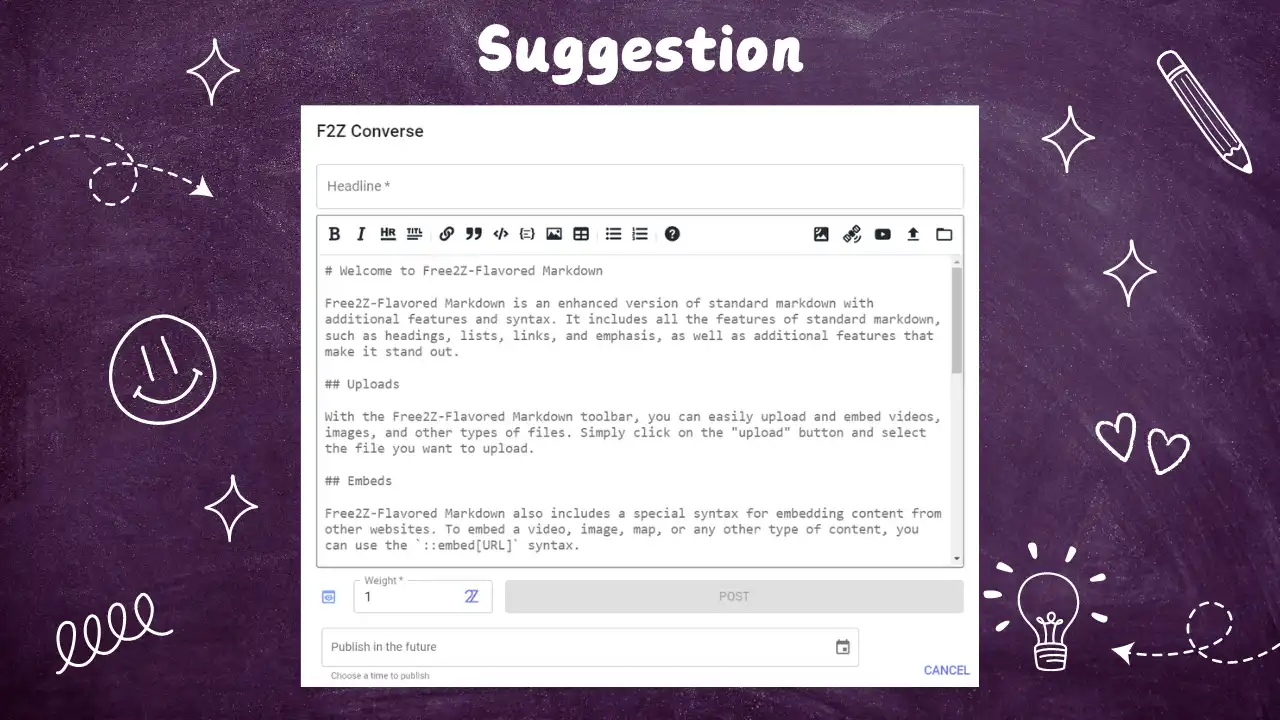
Suggestion for Free2z
A very nice feature is schedule zpages. I would like to see that feature implemented in Converse to be able to schedule comments. It would be a feature that I would use a lot.
If you liked it and want to support my content, please consider making a donation. thank you for your support! ✨