
Enhanced Security, Now Live
Free2Z has launched Multi-Factor Authentication (MFA) via OTP Authenticator Apps. As our platform evolves and grows, the security of user accounts becomes crucial. MFA is not an option, but a necessity for safeguarding sensitive data and financial transactions.
Why OTP Authenticator Apps?
Authenticator apps provide robust security. Unlike SMS, they are immune to SIM swap attacks. These apps generate time-sensitive codes, adding a vital layer of security to your Free2Z account.
MFA: Essential for Financial Transactions
With significant financial transactions and cryptocurrency dealings on Free2Z, MFA is imperative. It secures account access and protects against unauthorized changes, especially in P2P cryptocurrency transactions and our revenue share program.
MFA implementation is a straightforward step towards ensuring the safety of user accounts and assets. It's a reflection of our commitment to user security as Free2Z's functionalities and user responsibilities expand.
Account Recovery via E-mail
Users can add an email for account recovery, allowing password resets. Currently account recovery with confirmed email will bypass MFA. We respect user preferences and are considering the option to disable email-based recovery while still maintaining a linked email. Right now, if you don't fully trust the security of your email account, you can remove your email to prevent password resets. Currently, the most secure combination would be having a strong password and having MFA enabled with no linked email and "login" turned off for any linked 3rd party accounts (eg Twitter). The downside to this configuration is that you must be sure that you can hold your keys securely (strong password and MFA token). In the future, we will probably allow having a linked email that can not be used for account recovery. Currently you can have a linked Twitter account and you can turn off login via Twitter (as long as you have a password setup!).
How To
Setting up two-factor auth on your account takes only a few seconds if you already have an autheticator app installed.
Authenticator apps
A quick Bing says these are popular:
Authy: Known for its ease of use, encrypted backups, and support across almost all devices, including Apple Watch. It stands out for its multi-device sync capability. Authy
Google Authenticator: This app is a widely adopted standard across major websites, offering straightforward time-based, one-time password (TOTP) generation.
andOTP: An open-source alternative for Android, andOTP offers more features than many of its competitors. It includes options like tag support, a panic button, and the ability to export tokens to an encrypted file in Google Drive. andOTP on Play Store
FreeOTP: This minimalist open-source app has a simple interface and takes up minimal storage space. It hides codes by default and automatically after inactivity but does not support cloud sync or token export/import.
↠ GPT4 with Bing
Microsoft also has one. They should all work fine as the protocol is an established standard. If one doesn't work for you, let us know!
Go to profile and turn on!
Head over to your profile and click on the "Linked Accounts" tab:
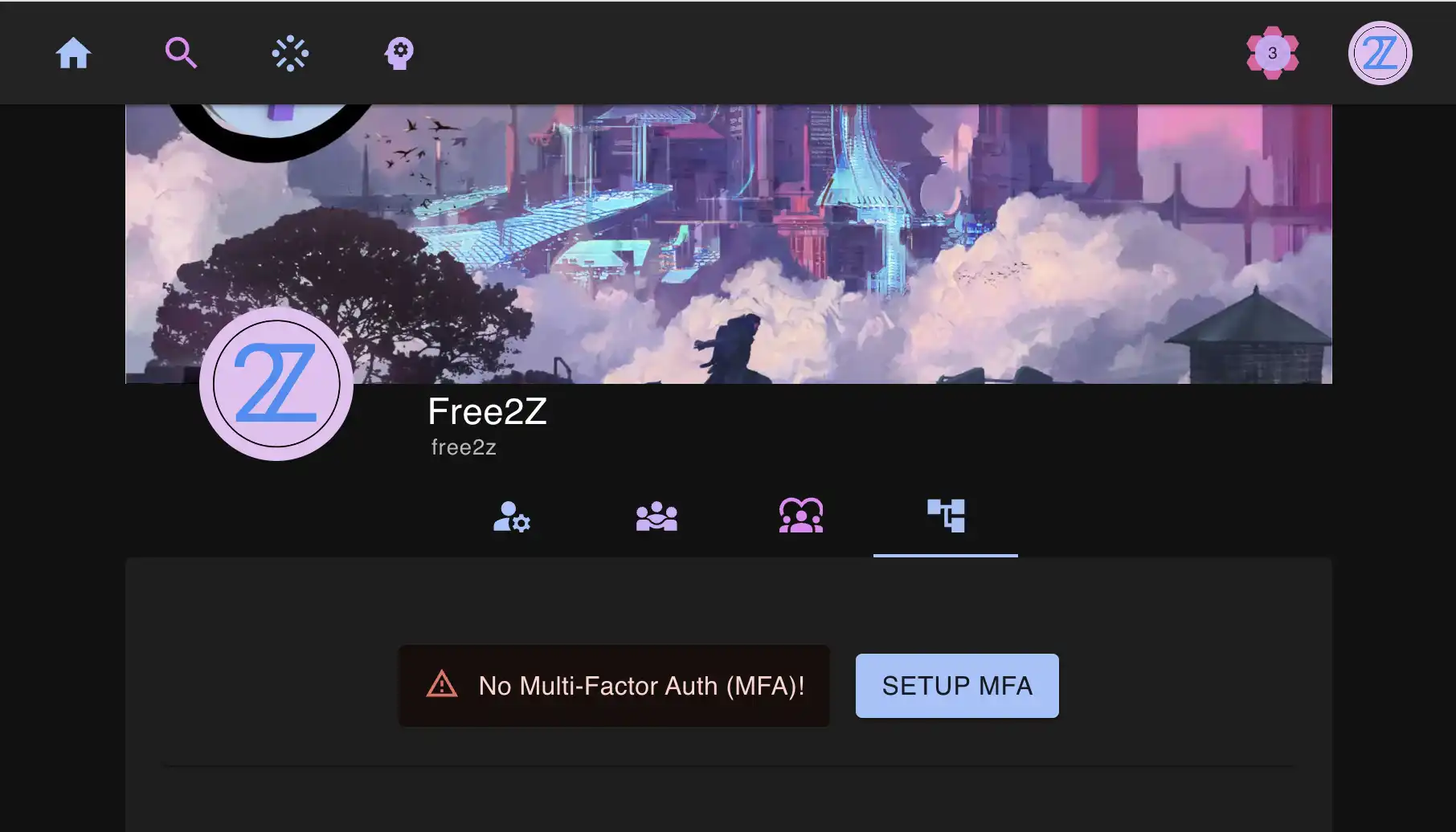
Click "Setup MFA" and a dialog will appear:
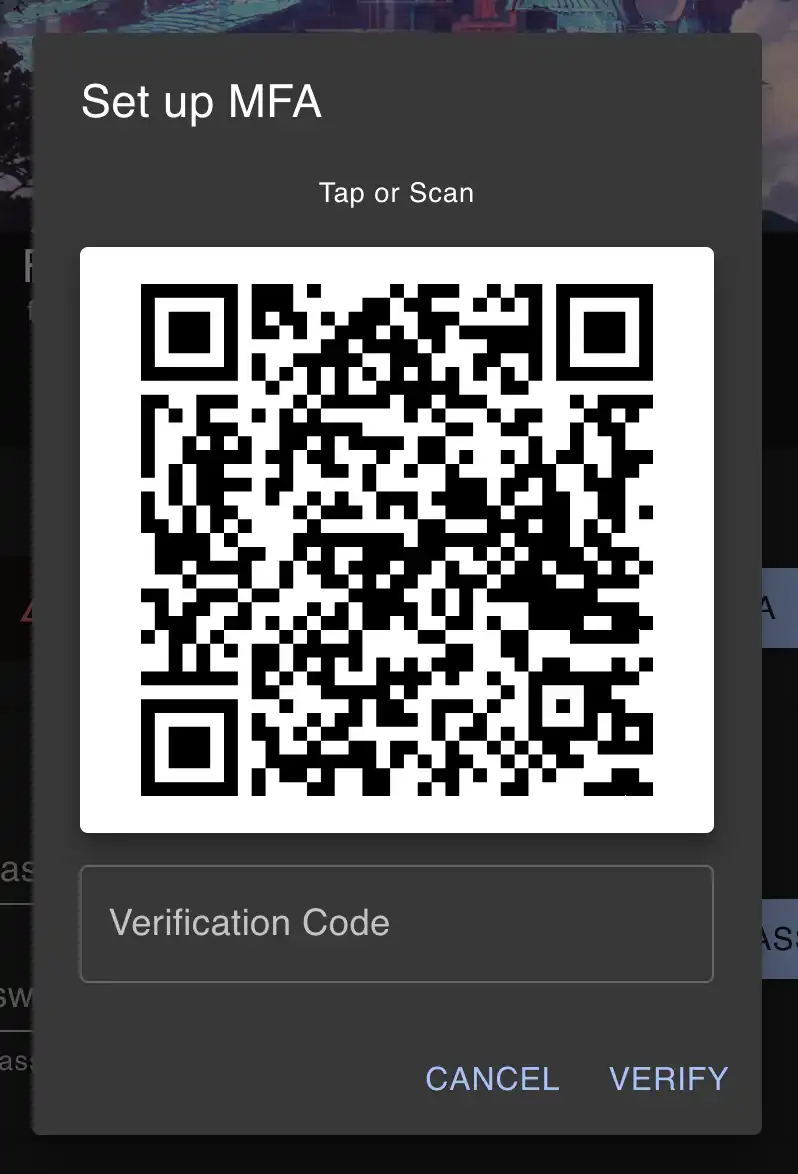
DO NOT let anyone get ahold of this QRCode or the secret it contains! This is your second authentication factor. (The secret in this QRCode will be recycled before publishing this post). Depending on whether you want to input this on the same device or a different device, you can use the qrcode or import with copy paste or, in many scenarios, you can tap/click the QRCode and everything will happen automatically.
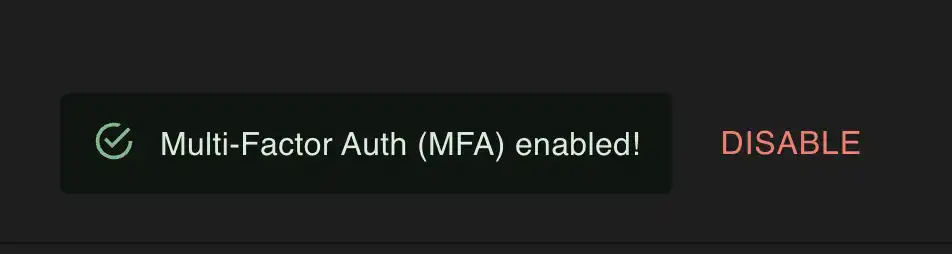
Copy or type the 6-digit code into the box to make sure that your authenticator app is setup correct and voila! In just a couple of clicks you have MFA enabled on your account.
Notes on the shared secret
The secret will look something like this:
CNLJ46NPX7MZJRXHK2IUJA2IZB2G2LFTThis is a shared secret that you might want to recycle from time to time. If you accidentally expose your secret (like the one above has now been exposed by posting it in this zPage), or if you just want to rotate an old secret, simply disable and reenable MFA and you will get a new shared secret.
Once you enable MFA by confirming that you can generate a valid OTP, we will not show you the secret again. So, keep it safe! Depending on your trust in your email and your Twitter account, you can allow login and reset via these methods. It's highly recommended that you have two-factor auth enabled on these accounts as well!
Conclusion
This update marks a significant and necessary step in Free2Z's growth. We have an ambitious goal to send $1,000,000 in shielded Zcash to users around the world in the next year. Providing two-factor auth is an obvious prerequisite towards this goal.