

Linux performance with the Intel P-state driver
If you are like me, you like to tune your computer for maximum performance 🌶️. A lot of notebook and or computers now come shipped with power saving optimizations in mind by default which could potentially be holding your system back. A fun testing suite I have used over the years is from Passmark. What's neat about their software is it lets you upload your results and compare to others with similar hardware. 🤠
Performance Test
To get the linux version of PerformanceTest to work properly you need to install ncurses5:
sudo apt install libncurses5
Then run the software and run the tests:
./pt_linux_x64
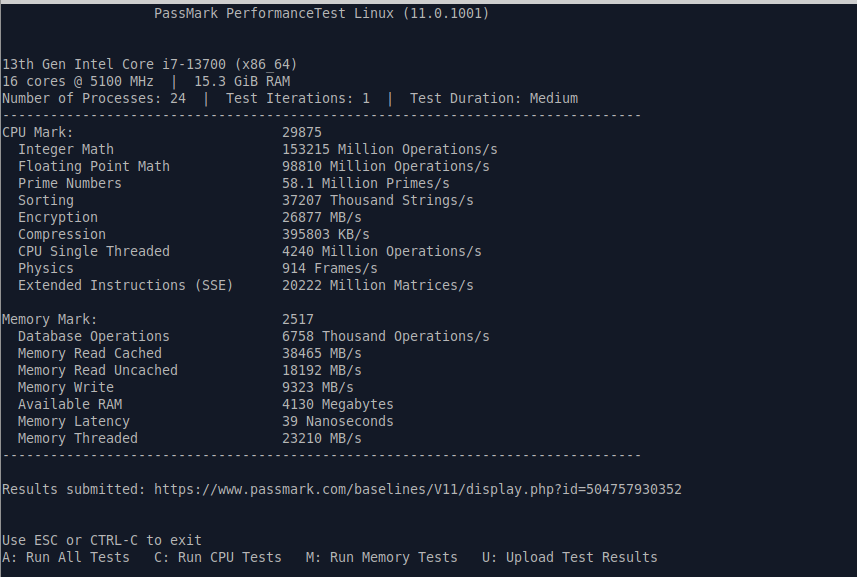
Once uploaded, you can compare to others around the world.
Optimization
Check out this wonderful resource on how to optimize your Intel P-state driver if you are running an Intel CPU. Simply stated, your system most likely defaults to powersave mode. Set it to performance and watch the difference. Here is my system as an example:
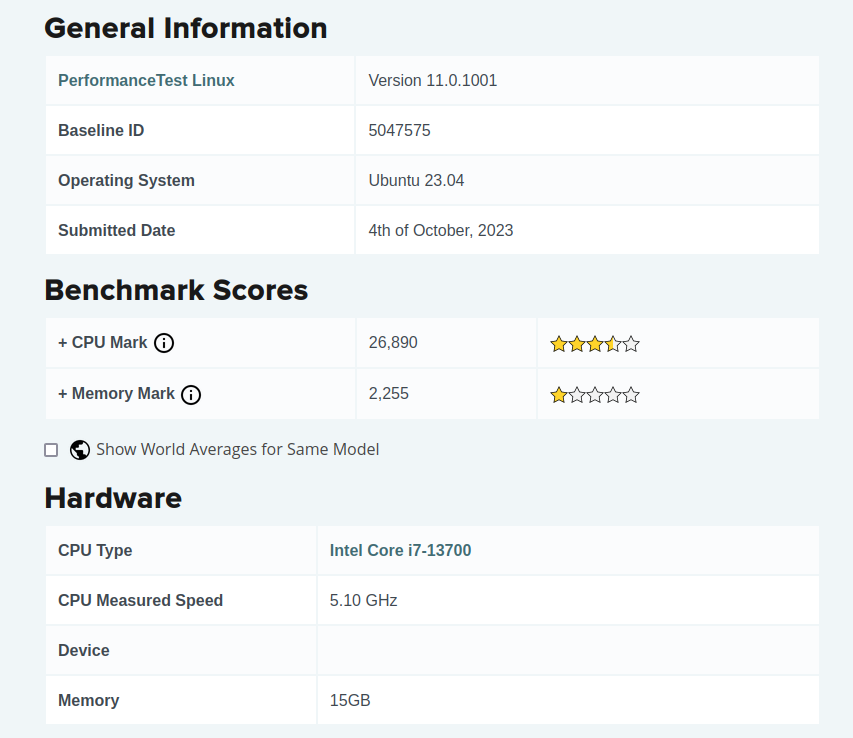
- Before
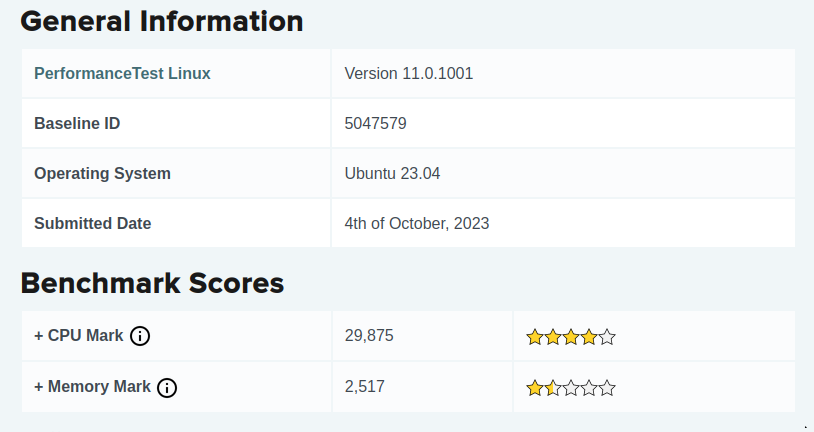
- After
- Before CPU overall: 26890
- After CPU overall: 29875
As you can see, this resulted in an 11.1% increasing in overall performance running the exact same test!
- Before Memory overall: 2255
- After Memory overall: 2517
An increase of 11.6%!
- Before Single Thread performance: 2,830 MOps/Sec
- After Single Thread performance: 4240 MOps/Sec
An impressive increase of 49.8% !!
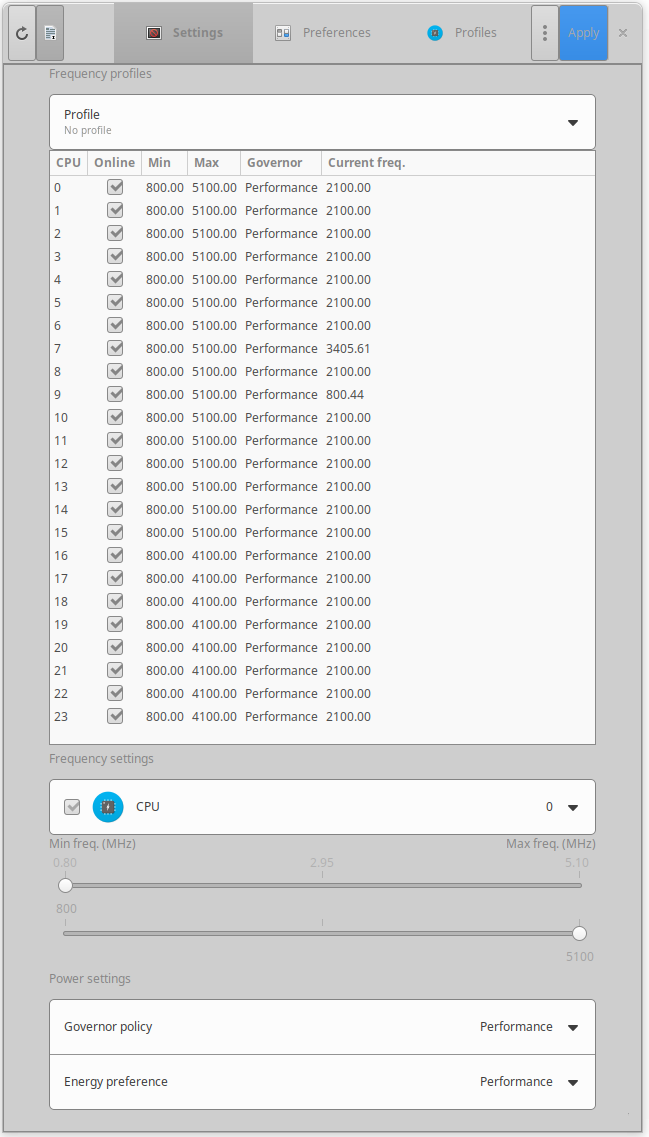
Happy optimizing! Let me know your results below!