

It's always good to start the year with another enhanced security implementation on FREE2Z, as the platform improves with each passing day. It's also important to have advanced defense mechanisms in case someone tries to hack into user accounts.
The introduction of two-factor authentication for account security is the latest addition to the account protection features for FREE2Z users. It will make the platform's security even more resilient. As always, the team does not disappoint and knows what's important to keep the platform advanced.
Yes, it's art, and in the image, there's a hacker trying to invade a website and exploit its vulnerabilities to gain access to user accounts. Prevent this by using MFA, as we can never be sure when they will strike.
For those who didn't know, two-factor account authentication allows users to have an enhanced way of logging into their accounts, ensuring that no one will have access to the private dashboard without the required credentials. MFA, which stands for Multi-factor Authentication, allows users to access the dashboard after entering a private key and obtaining an access code provided by the website and entered into the 2FA application.
The 2FA application can be found in online app stores like PlayStore, and there are many to choose from according to user preference. However, it is always good to use those that are popular, free to use, and easy to handle.
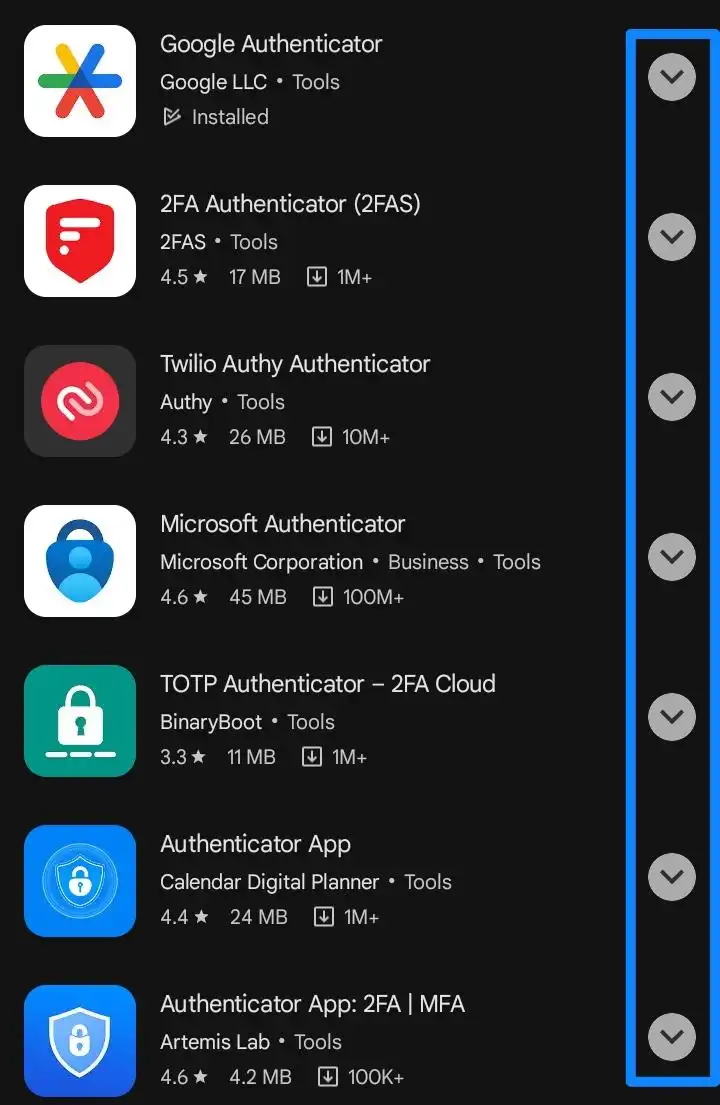
Choose from a variety of 2FA apps available in the PlayStore.
My particular choice is Google Authenticator because it is simple, easy, and doesn't have any ads disturbing my interaction with my access code. However, as I mentioned before, users are free to choose whatever suits them best.
After selecting a two-factor authentication app, it's important to follow all the steps to obtain the access key on the FREE2Z platform to enter and create an access code whenever you want to log in to the F2Z platform.
It's very important for all users to understand that the F2Z access key must be kept secure and never let anyone else have access, because if this happens, there's a higher chance of the account being violated.
On the FREE2Z website, the user has to go to their profile, where they will find the symbol shown in the image below. Click on it, and a new window will open. The user just has to click or even scan the QR code to create a code in the 2FA App, which will grant access to the platform every time they log in. The process is simple and uncomplicated; just follow all the necessary steps.
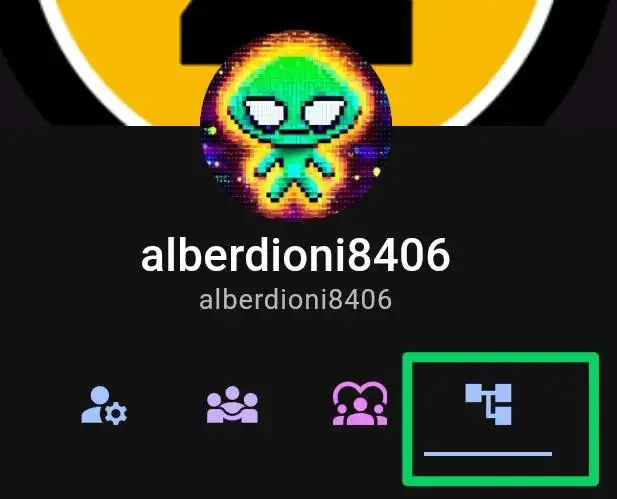
Click the green-circled symbol to open a new window and locate the account key.
Click directly on the QR code to gain access to the account key, which you will then enter in the 2FA app.
After entering the key or scanning the QR code in the app, the user has to copy the code in the cloud and return to the FREE2Z platform to confirm access and activate MFA.
After that, to test that the code works, the user has to log out and log back in. As the two-step factor will already be active, even after entering the username and password, it will ask for the "OTP factor" that the user only finds in the 2FA App.
This access code lasts for 30 seconds and requires some agility to copy and then paste on the FREE2Z platform.
And if you follow all the steps, you will obviously log in right afterward, thus having your account reinforced and protected from any account violation.
Having your account protected with a two-step factor is crucial to prevent account violations and potential damage that can occur after such violations, such as losing access to the account, the Tuzis contained in it, as well as access to all the work therein.
Every account can be compromised if not properly protected, take the case of the SEC as an example.
A clear example of a recent account breach was the unauthorized access to the account of the United States Securities and Exchange Commission, where hackers published that the SEC had approved the Bitcoin ETF, causing a stir and expectations in the cryptocurrency market. The SEC is now investigating how this person accessed their account, and the FBI is working on the matter.
Therefore, if you don't want to see your account violated, consider activating MFA to further protect it.
I hope my simple and direct article has helped you understand how to activate and stay protected using MFA on your FREE2Z account. Have an excellent Monday.
Here is a short video showing that I have activated my MFA and am protected from any malicious action on my F2Z account.
Reminding readers of cherished moments:
As we bid farewell, let's stroll down memory lane. One of the most rewarding experiences for content creators is sensing the audience's appreciation. By tipping generously, sharing articles, and acknowledging the author's dedication, you contribute to the shared journey of exploring, learning, and creating. So, take a moment to read, share, drop a like, a private tip, and a heartfelt note in the memo. Let's continue weaving these memories together. Wishing you all a wonderful Christmas and a prosperous New Year. Stay well, and here's to reliving those special moments!