

Installing Zenith on a Raspi4
Will need a fully synced zcashd :) All these commands will be ran on your Raspi4
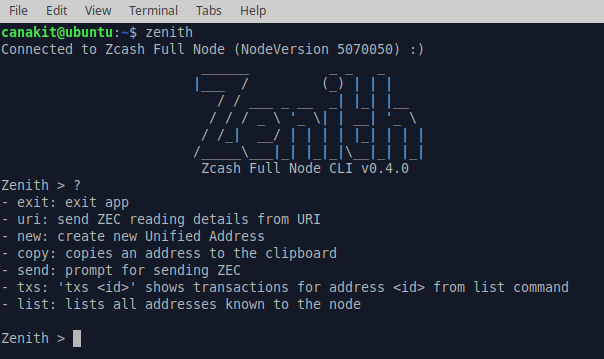
Install dependencies
sudo apt install xclip libsecp256k1-dev libxss-dev libxrandr-dev
Compile zcash-haskell
For latest version of zenith, I needed the following to compile zcash-haskell correctly without error:
1. curl --proto '=https' --tlsv1.2 -sSf https://sh.rustup.rs | sh //Install RUST2. cargo install cargo-c | sudo apt install libssl-dev //Install cargo-c and libssl-dev3. curl -sSL https://get.haskellstack.org/ | sh //Install Stack4. wget https://git.vergara.tech/Vergara_Tech/zcash-haskell/archive/master.tar.gz //Download zcash-haskell5. tar -xvzf master.tar.gz //Untar zcash-haskell6. rustup toolchain install nightly //Install rust toolchain nighly (said was needed in my case)7. export PATH=$PATH:/home/zkhb/.local/bin //You may may need to add .local/bin to your PATH8. stack install c2hs //Install c2hs9. open configure file change to (see pic below): //For aarch64 (Raspi4 users) change to correct target export PKG_CONFIG_PATH=$(pwd)/librustzcash-wrapper/target/aarch64-unknown-linux-gnu/debug:\$PKG_CONFIG_PATH export LD_LIBRARY_PATH=$(pwd)/librustzcash-wrapper/target/aarch64-unknown-linux-gnu/debug:\$LD_LIBRARY_PATH 10.) open Makefile change top line to: rustlib := librustzcash-wrapper/target/aarch64-unknown-linux-gnu/debug 11.) ./configure12.) make //Compile zcash-haskell
Compile Zenith
1.) wget https://git.vergara.tech/Vergara_Tech/zenith/archive/0.4.0.tar.gz //Download latest zenith2.) tar -xvzf 0.4.0.tar.gz //Untar latest zenith3.) cd 0.4.0 //Move into correct directory4.) stack install //Compile zenith