

New Tutorial is Live!💡
In this DEMO you will learn how to use lightwalletd or zainod along side a fully synced zebra node.
🔹http://toGRPCurl.sh -> Helper script for accessing data from a local lightwallet server.
🔹http://byteFlippedHex.sh -> As it turns out, some serialized hex needs to "byte flipped" to be usable in applications.
🔹http://base642hex.sh, http://hex2base64.sh -> python helper scripts to convert output between lightwallet servers and applications.
Examples
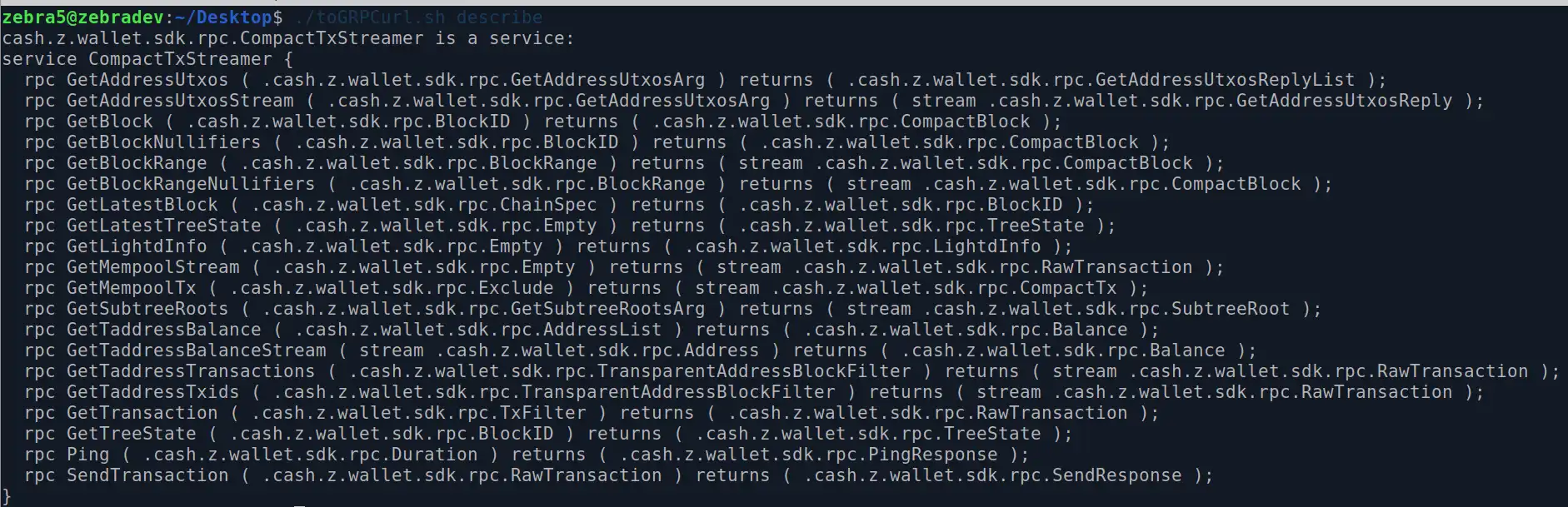
- Display available methods:
./toGRPCurl.sh describe
- Display latest block:
./toGRPCurl.sh GetLatestBlock

Grab a particular block and display available transaction hashes:
./toGRPCurl.sh GetBlock 2986174 | jq .vtx[].hash- note: requires
jqfor nice formatting
- note: requires

Convert a serialized lightserver transaction hash into its txid (viewable on an explorer )
./base642hex wMSYjN52F1F63UmVaSaZx4GAZgaDRpL1K4pUKlvTfHw=./byteFlippedHex.sh c0c4988cde7617517add4995692699c781806606834692f52b8a542a5bd37c7c

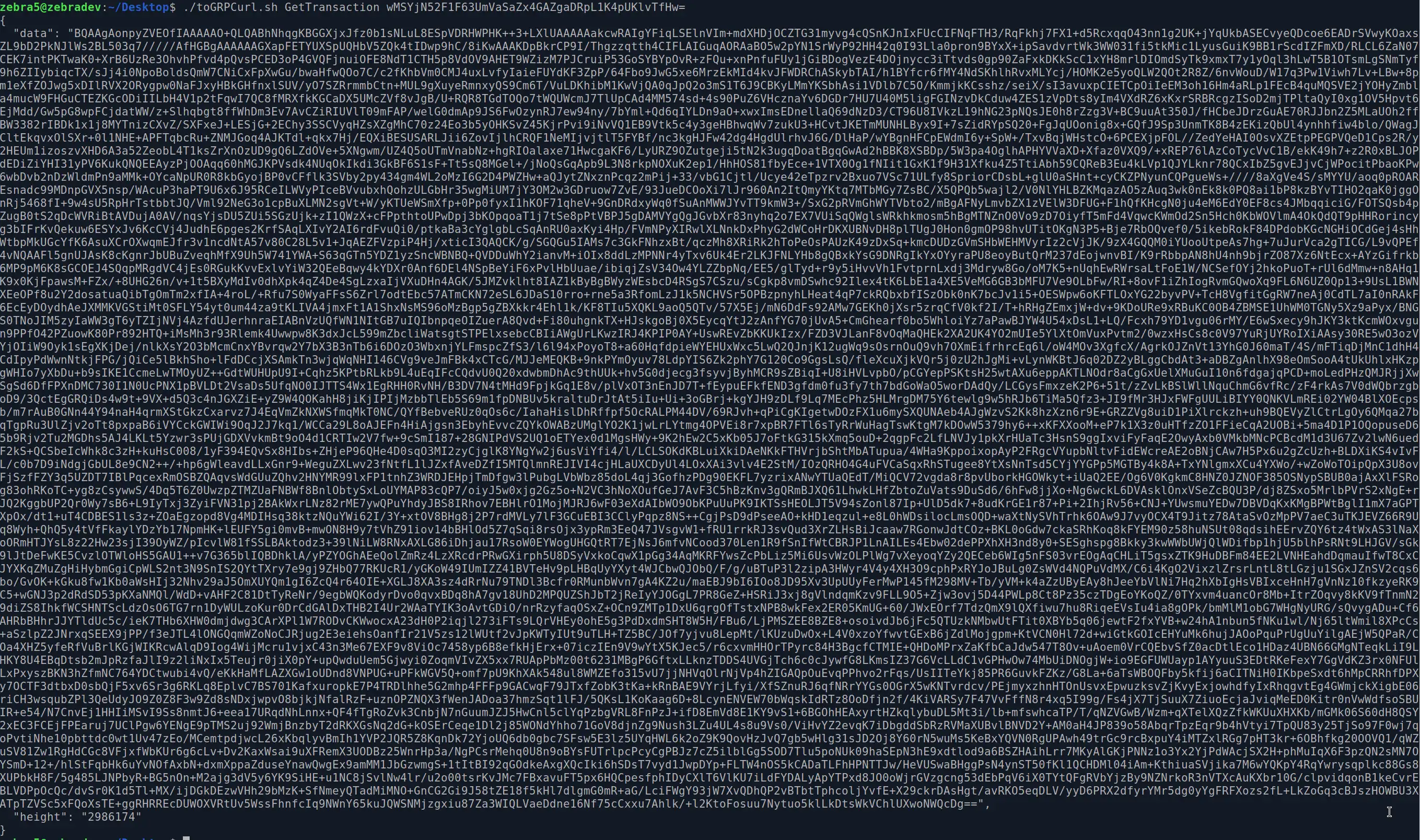
Convert a serialized lightserver transaction hash into a useable JSON
./toGRPCurl.sh GetTransaction wMSYjN52F1F63UmVaSaZx4GAZgaDRpL1K4pUKlvTfHw= | jq .data > myBase64txid
- `cat myBase64txid | xargs ./base642hex > myrawtxid`- `cat myrawtxid | xargs zcash-cli decoderawtransaction`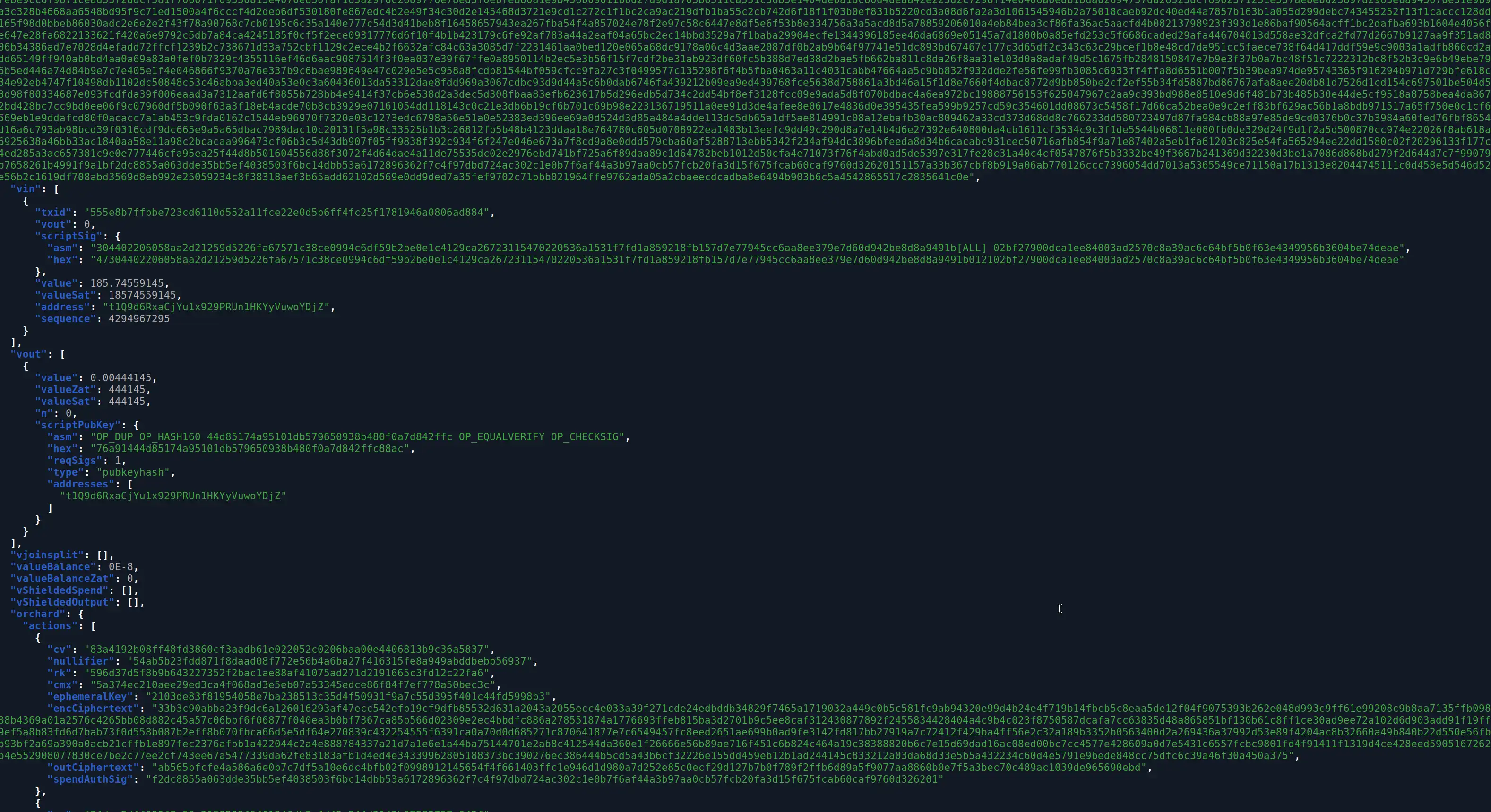
## Sources [](https://github.com/dismad/lightwalletUtilities#sources) - [https://learnmeabitcoin.com/technical/general/little-endian/](https://learnmeabitcoin.com/technical/general/little-endian/)- [https://base64.guru/converter/decode/hex](https://base64.guru/converter/decode/hex)- [zcash/lightwalletd#513](https://github.com/zcash/lightwalletd/pull/513)- [https://github.com/zcash/lightwalletd/blob/master/smoke-test.bash](https://github.com/zcash/lightwalletd/blob/master/smoke-test.bash)- [https://github.com/fullstorydev/grpcurl](https://github.com/fullstorydev/grpcurl)- [https://github.com/zcash/zcash-devtool]