
Zcash 101
- Intro
- Full Nodes
- zcashd
- zebrad
- Lightwalletd
- Mobile Wallets
- Use cases
- Verifying ZEC supply and Turnstiles
- Using local zebra + lightwalletd with Mobile wallet
- Sending an OWL
- Sending files using Destiny and Shielded memos
- Spending ZEC using ZGO
- Using Zenith
- Local Blockchain Explorer (using Full Node)
Intro
In this series we will talk about everything a student of Zcash needs to understand as a starting point. Students are expected to follow along, ask questions, and be prepared to mess up. 🦓
Full Nodes
Full nodes unleash the full power of Zcash blockchain. They require more setup, more maintaince, but allow anyone with an internet connection to verify, not trust, the data of the network.
zcashd
Electric Coin Co. maintains the Zcashd reference client, a platform that can be used to send and receive the ZEC digital currency, mine Zcash, and verify network transactions.
Here are a few popular questions that students may ask about the Zcash blockchain:
- How much space does the Zcash network take on a local computer?
- What is the supply of ZEC in the Zcash network?
- What is the supply in each of the value pools of the Zcash network?
The good news is if you choose to run a full node, these can be answered.
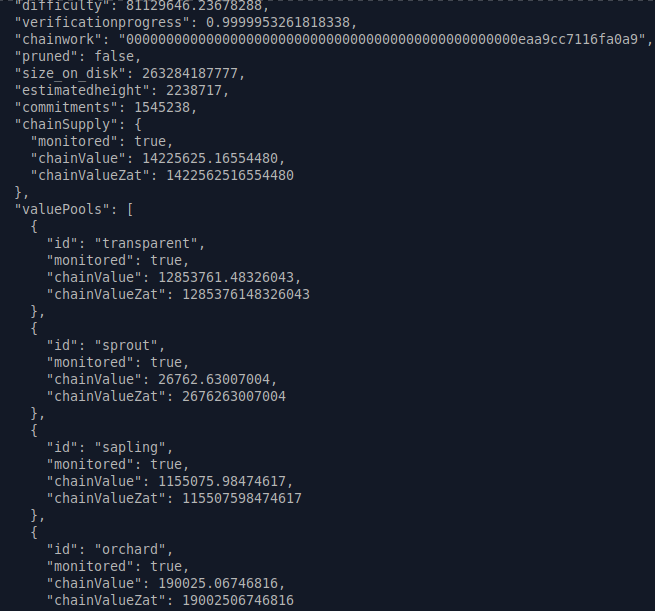
The above picture is accurate of September 24, 2023 17:15 PST
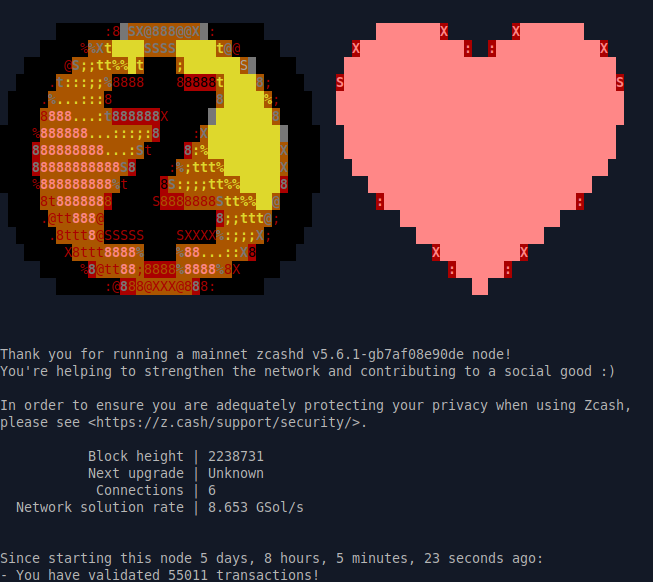
Here is picture of what running zcashd looks like running a raspberry-pi-4 looks like:
The way you run commands is via zcash-cli which stands for zcash command line interface. TIP : run
zcash-cli help
to quickly list all available commands you can use to control your full node.
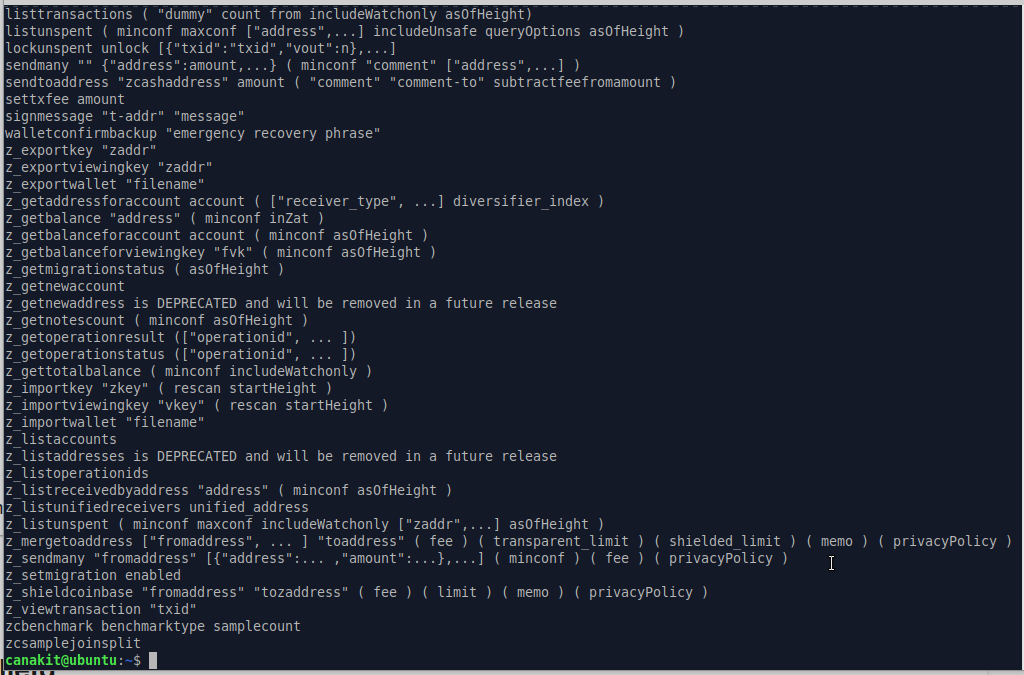
As an exercise, it its recommended to install zcashd on any ubuntu flavor and setup your first UA!
TIP :
After you have fully synced zcashd, what are some actions you can do? As another exercise, watch this guide and try to send your first Zcash transaction using zcashd!
zebrad
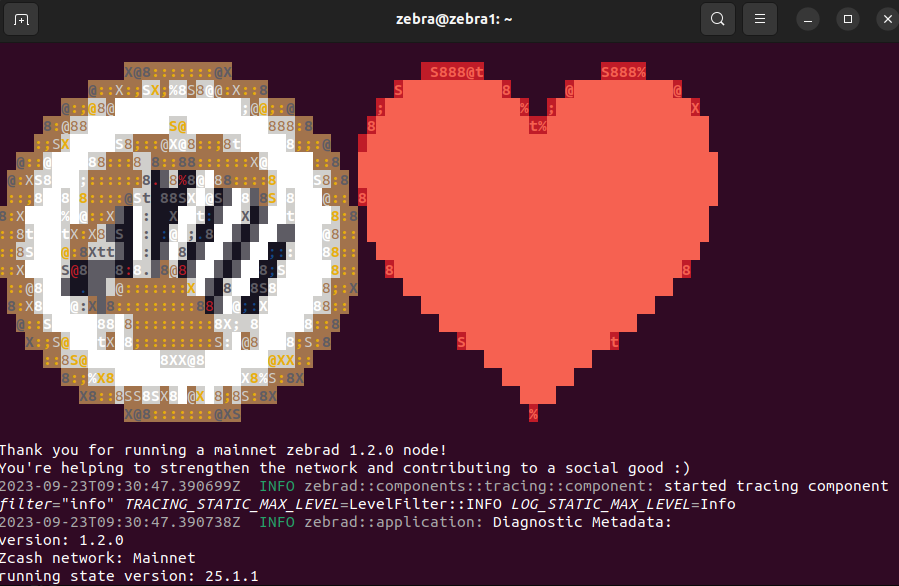
Zebrad is the Zcash Foundation’s independent, consensus-compatible, modern, modular implementation of a Zcash node. There are a few practicle differences between this node and zcashd including zebrad does not include a built in wallet. This means you will need to install zebrad with lightwalletd support to enable the sending of everyday transactions.
Lightwalletd
Lightwalletd is a backend service that provides a bandwidth-efficient interface to the Zcash blockchain. Currently, lightwalletd supports the Sapling protocol version and beyond as its primary concern. The intended purpose of lightwalletd is to support the development and operation of mobile-friendly shielded light wallets.
In order to use a mobile wallet with your "local" zebrad + lightwalletd you need to:
- install/compile zebrad with lightwalletd support.
- sync both zebrad and lightwalletd
TIP:
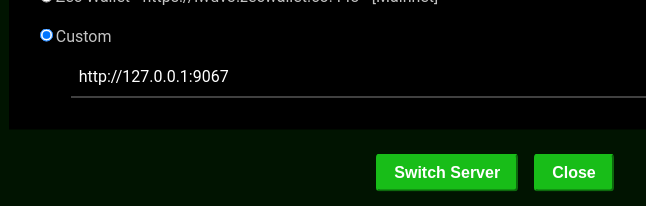
- with both running, configure your prefered mobile wallet to sync using your localhost [http://127.0.0.1:9067]
In this quick demostration I send a shielded transaction from ywallet to zingo. Both ywallet and zingo are setup to use my localhost which utilizes my zebrad + lightwalletd setup.
Mobile Wallets
Mobile wallets allow you to use Zcash anywhere and on the go.
For a list of up-to-date Mobile wallet options check out this ZecHub Wiki
This extended flexiblity comes at a cost however, and certain trade offs need to be understood. For example, if you want fast confirmation times, using a full node almost always outperforms mobile wallets. For an in-depth discussion about these trade offs, watch this as your next exercise:
For further infomation about Zcash security, check out the Zcash Ecosystem Security Overview by Taylor Hornby
Use Cases
Verifying ZEC supply and Turnstiles
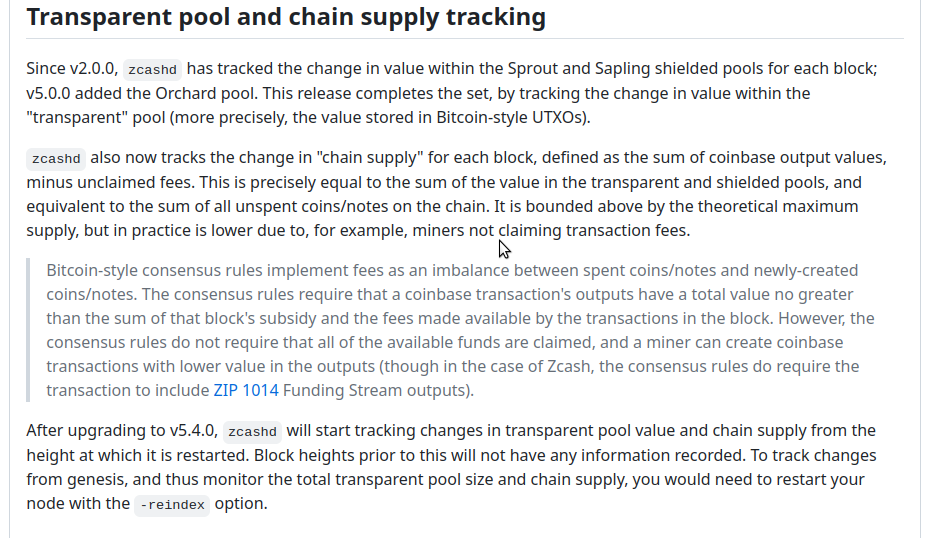
As discussed above, zcashd is the tool to use to verify anything about ZEC supply. This is done via turnstiles. Here is the important part for those students who want to setup zcashd correctly:
Using local zebra + lightwalletd with Mobile wallet
This is left as an exercise for the student. HINT: the information you need is in a previous section.
Sending an OWL
For those students who want to dig deeper into using zcashd, check out dismad's zcashUtilities github. He created some bash scripts that allow students to send eachother OWL's quickly. As can been seen here, you save the two UA's your going to use, create a memo and convert it into hex, then send it. 🦉
Sending files using Destiny and Shielded memos
Destiny is a free open source end-to-end encrypted secure file transfer application that does not reveal identities – neither between participants nor towards the service provider.
The next step for this to gain mainstream adoption is to use Zcash's private memo's to send Destiny's codes between mobile devices around the world. 🌶️