
Welcome Back Cypherpunks, I apologize for the long absence. In this new year I plan to post new CPU content at least bi-weekly. I am also prioritizing building my skills in hacking and penetration testing.
For the first post of this new year I thought it best to start with the most basic and useful tool for web-based hacking: NMAP.
NMAP is short for network mapper. NMAP is an open-source command line interface that packs a lot of features. Nmap can be used for:
-Host Discovery
-Port Scanning
-Version Detection
-Vulnerability Detection
I'm not a computer genius so I will spare you the mumbo jumbo of how NMAP works. Put simply, NMAP works by sending packets and evaluating the targets response.
WARNING: WHILE RARE, SCANNING TARGETS WITHOUT THEIR CONSENT COULD RESULT IN PROSECUTION OR BANS BY INTERNET SERVICE PROVIDERS.
That said, let's show do some scanning.
I did a quick ping of http://free2z.cash to get the IP address. F2Z IP Address is 190.196.102.34
I will use this IP to start a simple nmap scan:
nmap 190.196.102.34 -o free2z.txt
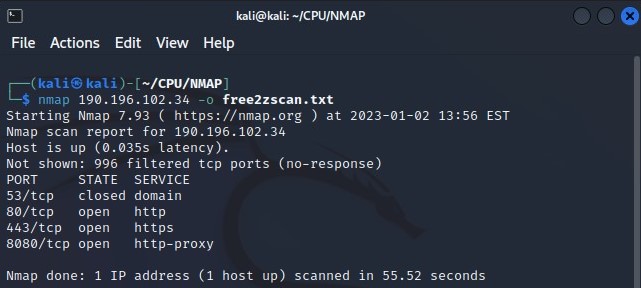
(the "-o free2z.txt" will output the results to a text file free2z.txt)
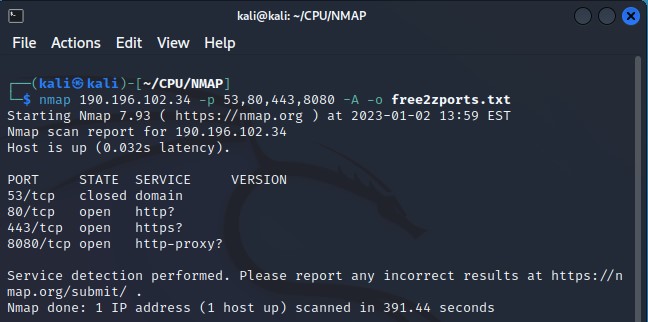
On the initial scan I see that there are 3 open ports and a 4th port that is closed. After doing this quick scan I narrow my focus with an aggressive scan (-A) on the ports I detected (-p 53,80,443,8080). Unfortunately for me I did not gain anymore information.
nmap 190.196.102.34 -p 53,80,443,8080 -A -o free2zports.txt
I will use TryHackMe:Intro Into Network Security to show more of what NMAP can do. This machine is intentionally vulnerable and will allow us to move from a simple scan
nmap 10.10.174.231
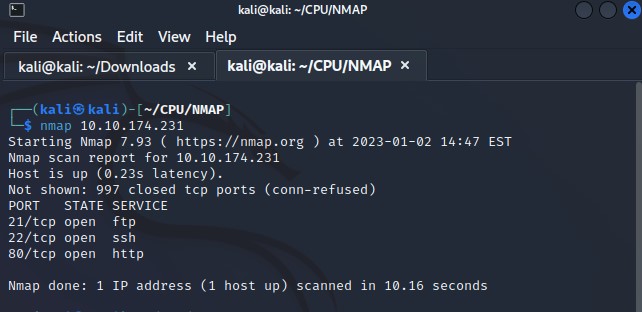
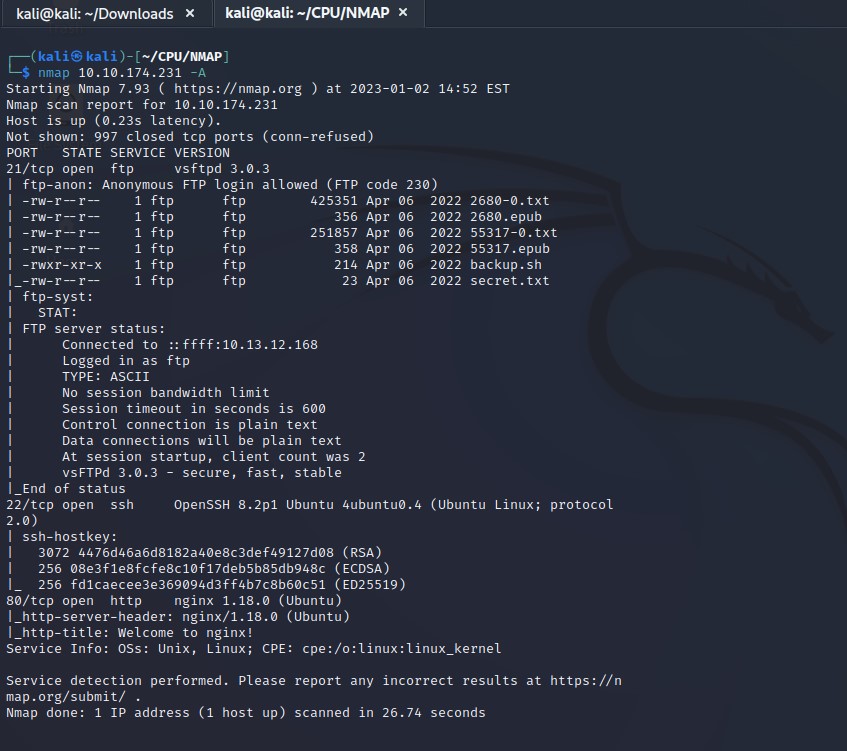
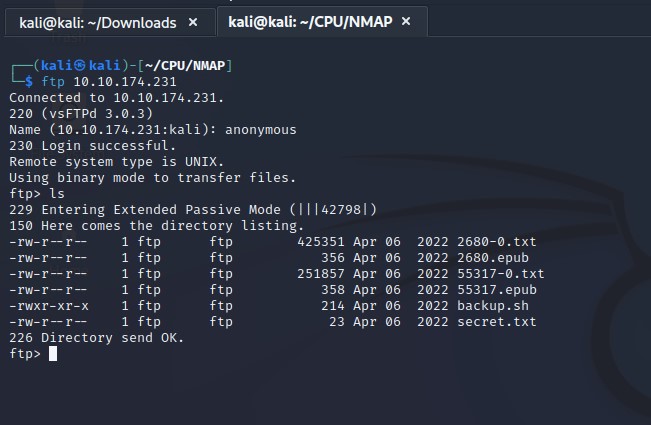
We get 3 open ports running 3 different services. Lets do the scan again running an aggressive scan.
nmap 10.10.174.231 -A